How do I connect an AI assistant to Velory?
Connected AI clients links an AI assistant you already use — Claude, ChatGPT, Cursor or Gemini CLI — to your Velory account. You can then ask it about Velory without opening Velory: how something works, where to find it, or when your devices are due for renewal.
The assistant works as you. It sees only what you can see in Velory, for one company at a time.
Connect an assistant
-
Open the account menu and select Connected AI clients.
-
Under Connect a new client, find your assistant and select Copy. If you work for more than one company, pick the company first — each connection covers one.
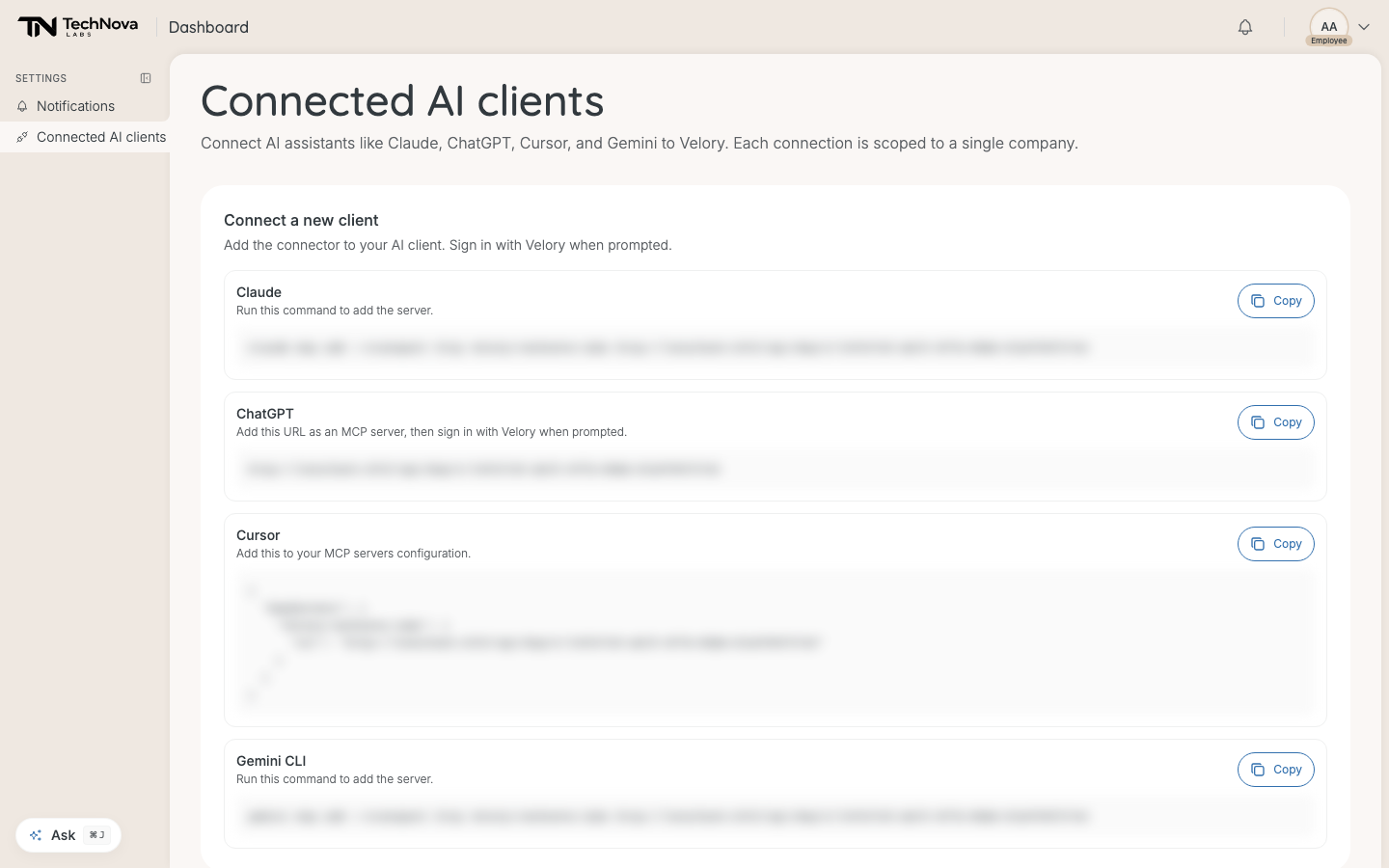
Each box holds the connector your assistant needs. Copy it, then add it in the assistant. -
Add what you copied to your assistant:
Assistant What you copy Where it goes Claude A command Run it in Claude Code ChatGPT A web address ChatGPT's connector settings, as a new connector Cursor A block of settings Cursor's MCP servers configuration Gemini CLI A command Run it in your terminal -
The assistant opens Velory in your browser. Sign in if asked.
-
Velory asks "Connect {assistant} to Velory" and names the company it will reach. Select Allow.
The assistant now appears under Your connected clients, once it has made its first request.
What it can do
The assistant uses your access in Velory, nothing more. For most employees that means it can:
- answer questions from this help centre
- find the page in Velory you are looking for
- tell you when your own devices and subscriptions are due for renewal
It cannot change your equipment or see your colleagues' devices. To ask for something new, use New request on your Overview. When it tries something your access does not cover, it gets "Permission denied" and should tell you so.
It does not remember earlier questions. Each question starts fresh.
Disconnect an assistant
Under Your connected clients, select Disconnect on the assistant and confirm. Its access ends at once, for every company it was connected to. To use it again, connect it again.
Good to know
Do I need my IT admin to set this up?
No. Any employee can connect their own assistant. You sign in with your normal Velory account; no special key is needed.
I use the Claude app, not Claude Code
The Claude box holds a command for Claude Code. For an app that asks for a connector address instead, copy the address from the ChatGPT box — it is the same address.
Can my assistant see everything in Velory?
No. It sees what you see, in the company you connected it to. If your access changes, so does the assistant's.
I left a company, or lost access to it
The connection to that company stops working by itself.
Was this article helpful?