How do I connect Tele2 Sweden?
Tele2 Sweden connects with a username and password for the TSO (Tele2 Service Online) API. Tele2 issues those credentials — they are not something you generate yourself.
In this guide
Before you begin
- You need Admin access in Velory.
- You need TSO API credentials from Tele2.
- Tele2 Sweden is enabled per company. If it does not appear in the marketplace, contact Velory support.
Request TSO API credentials
- Contact your Tele2 account manager or business support.
- Request API access to the TSO platform.
- Tele2 sends back a username and password for the TSO API.
Ask for access to the Stage environment as well if you want to verify the import before it touches production data.
Connect Tele2 in Velory
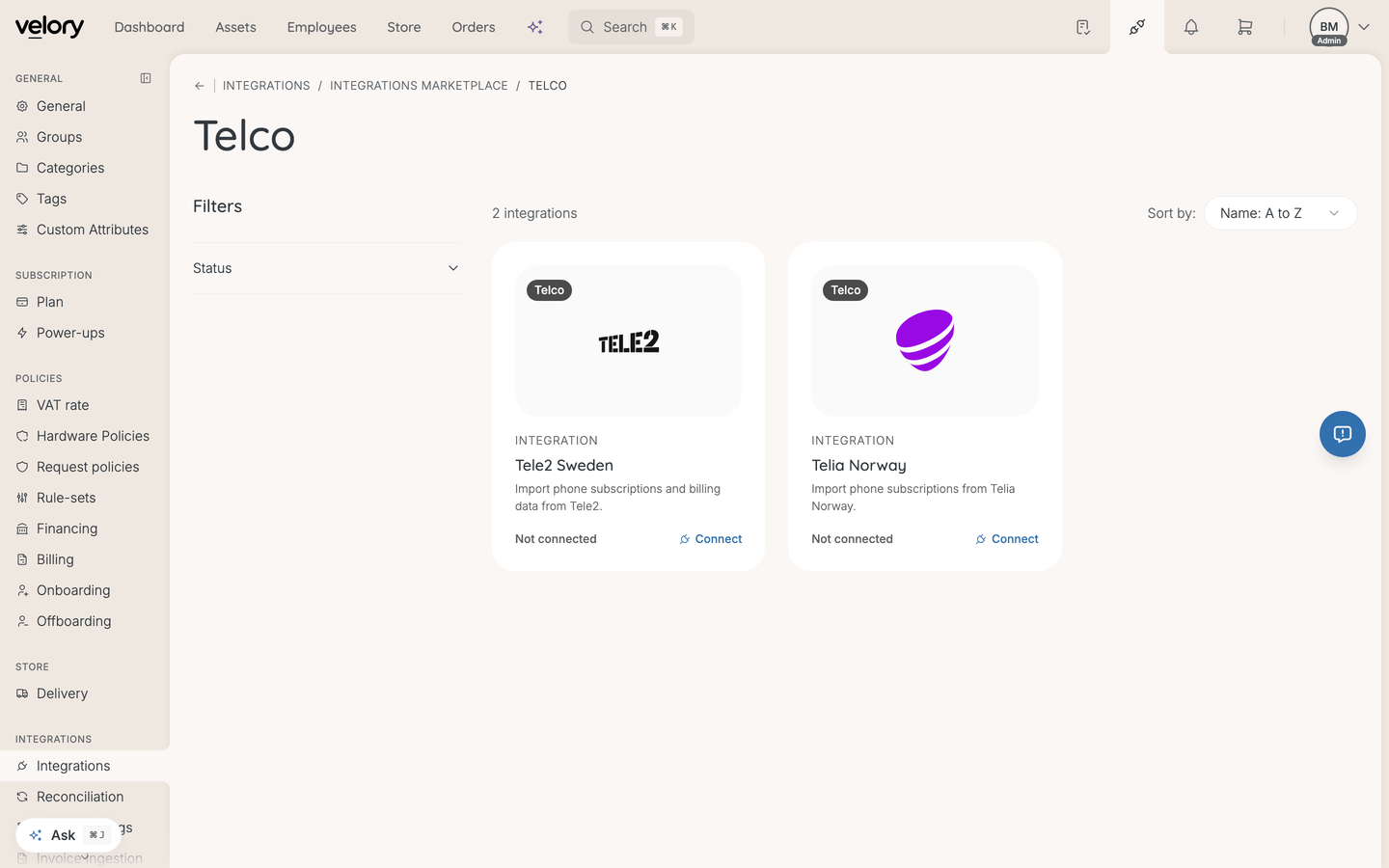
- Go to Settings → Integrations.
- Click Explore marketplace.
- Open the Telco category, find Tele2 Sweden, and click Connect.
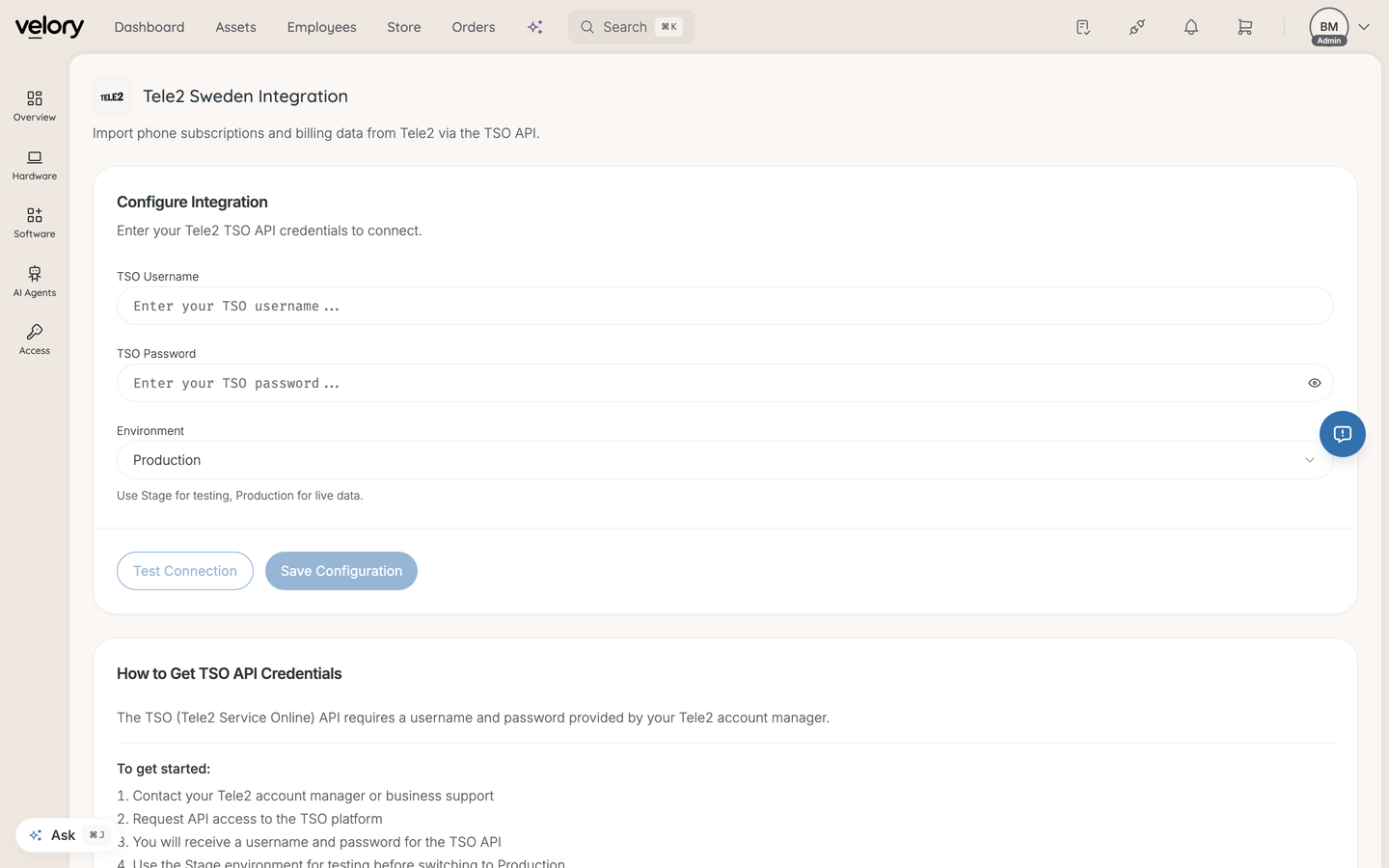
- Fill in:
- TSO Username — the username Tele2 issued
- TSO Password — the password Tele2 issued
- Environment — Stage for testing, Production for live data
- Click Save Configuration.
Verify and import
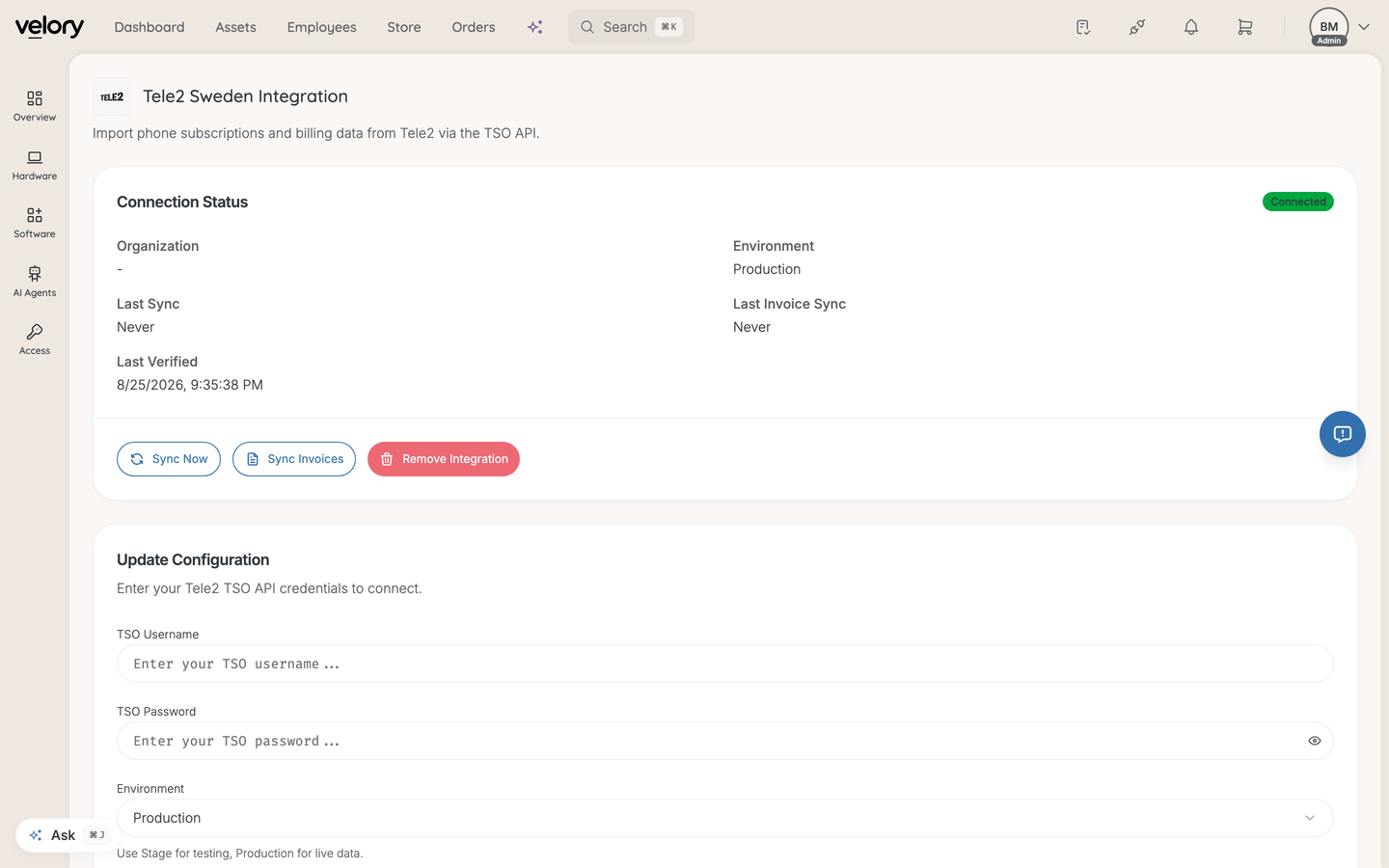
- Click Test Connection. On success the page shows your organisation and the number of subscriptions found.
- Click Sync Now to import subscriptions. Progress is shown as it runs, then a summary of how many subscriptions were fetched and how many existing ones were updated.
- Click Sync Invoices to import billing data.
Last Sync and Last Invoice Sync on the integration page record when each last ran.
Good to know
Should I start on Stage or Production?
Start on Stage if Tele2 gave you access to it. Run a sync, check that the subscriptions look right, then change Environment to Production and sync again.
What does "subscriptions could not be updated" mean?
A sync reports partial success when it fetched subscriptions from Tele2 but could not write some of them. The count tells you how many; the details are in the logs. The rest of the sync still applied, so re-running it is safe.
What happens if I remove the integration?
Removing it stops subscription syncing from Tele2. Velory asks you to confirm first.
Can I connect more than one Tele2 account?
No. Tele2 Sweden is a single connection per company. If you need to change which account it uses, update the credentials on the existing connection.
Was this article helpful?