How do I approve or decline a request?
When someone's request needs your approval, Velory notifies you and links you to it. You decide only the items you were asked about — other items on the same request may belong to someone else.
The notification arrives in the bell in Velory. It also comes by email, and in Slack or Microsoft Teams if you have connected one, when your company has switched those channels on — out of the box it is in-app only. Approval requests are not sent at weekends. You cannot approve from the email or the chat message itself; follow the link. See How do I change my notifications, password or photo?.
If you are a manager or employee
The link opens the approval as a task.
- Read what was asked for and why.
- Select Approve or Reject. This decides every item on the request that is waiting for you, all at once.
To reject, write the reason in Notes (optional) first. Despite the label, a rejection without a reason is refused — the requester needs to know why.
If you are an admin
The link opens the request itself: Assets → Overview → Requests, then the request.
Each item under Hardware has its own Approve and Decline. Approve all my items decides every item waiting for you in one go.
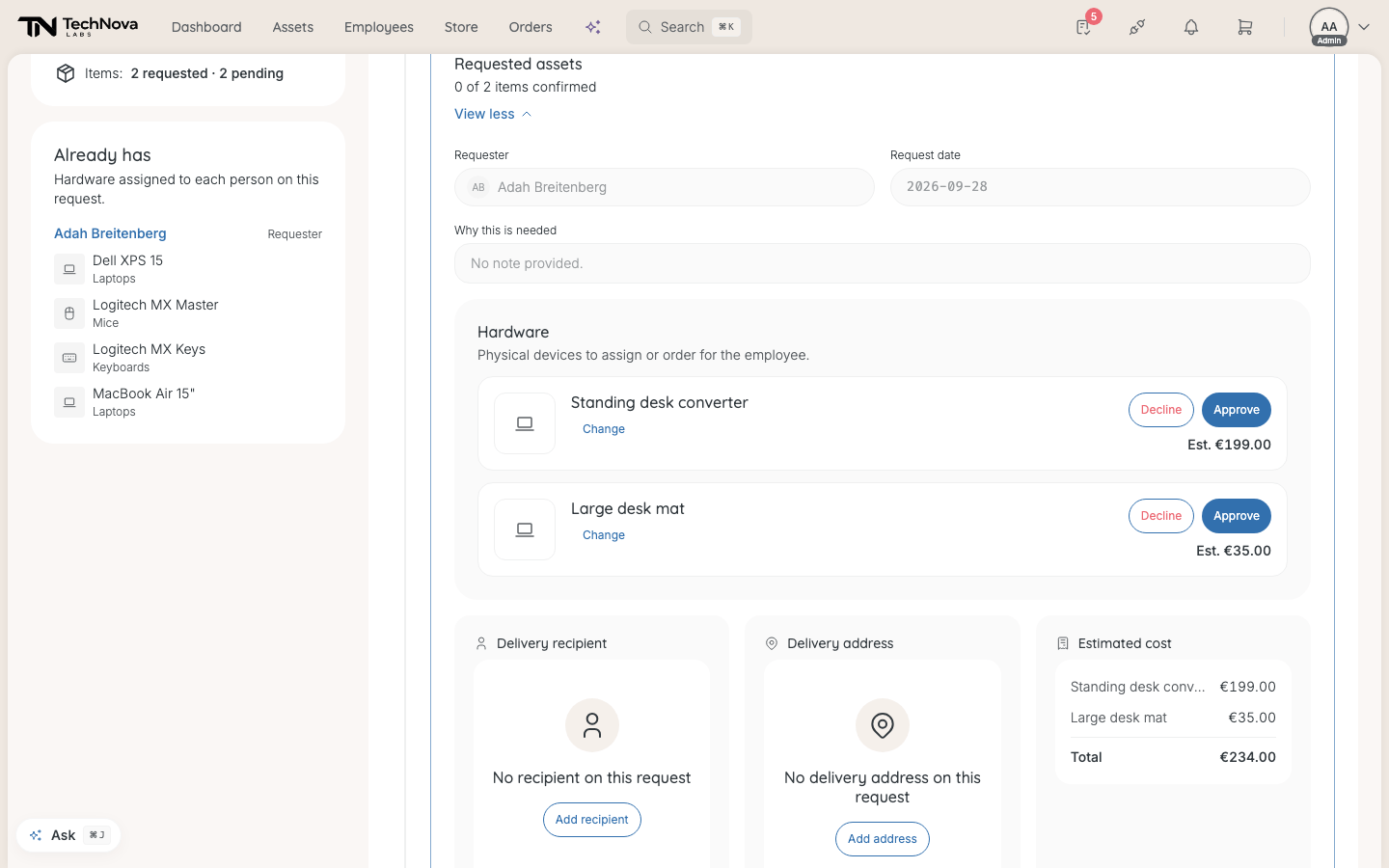
Decline asks for a reason. "The requester sees your reason. Declined items are removed from the request; the rest continues." Select Decline item to confirm.
As an admin with company-wide reach you can decide anyone's items, not only your own — except on a request you made yourself.
What happens next
- Approved items wait for an admin to confirm them into an order. See How does an approved request become an order?.
- Declined items are removed. The requester sees them as Declined, with your reason, and is told in Velory.
- If every item is declined, the request is cancelled.
Good to know
Two of us were asked. Do we both have to approve?
No. When a rule names several people, the first one to decide settles the item.
Can I change my mind?
No. An approver's decision is final. Before the request is confirmed for ordering, an admin can still Reject an approved item — for example, because it cannot be supplied — or cancel the whole request.
I don't see Approve on an item
It is waiting for someone else, or it shows No eligible approver — nobody could be found to approve it. See Who approves a request?.
Was this article helpful?