How does an approved request become an order?
An admin confirms it. Approval says yes, they may have it; confirming says and this is how they get it — a new one from the retailer, or a unit you already have in storage. Nothing is bought until you select Confirm & continue.
Before you begin
You need Admin access. Requests live under Assets → Overview, on the Requests tab.
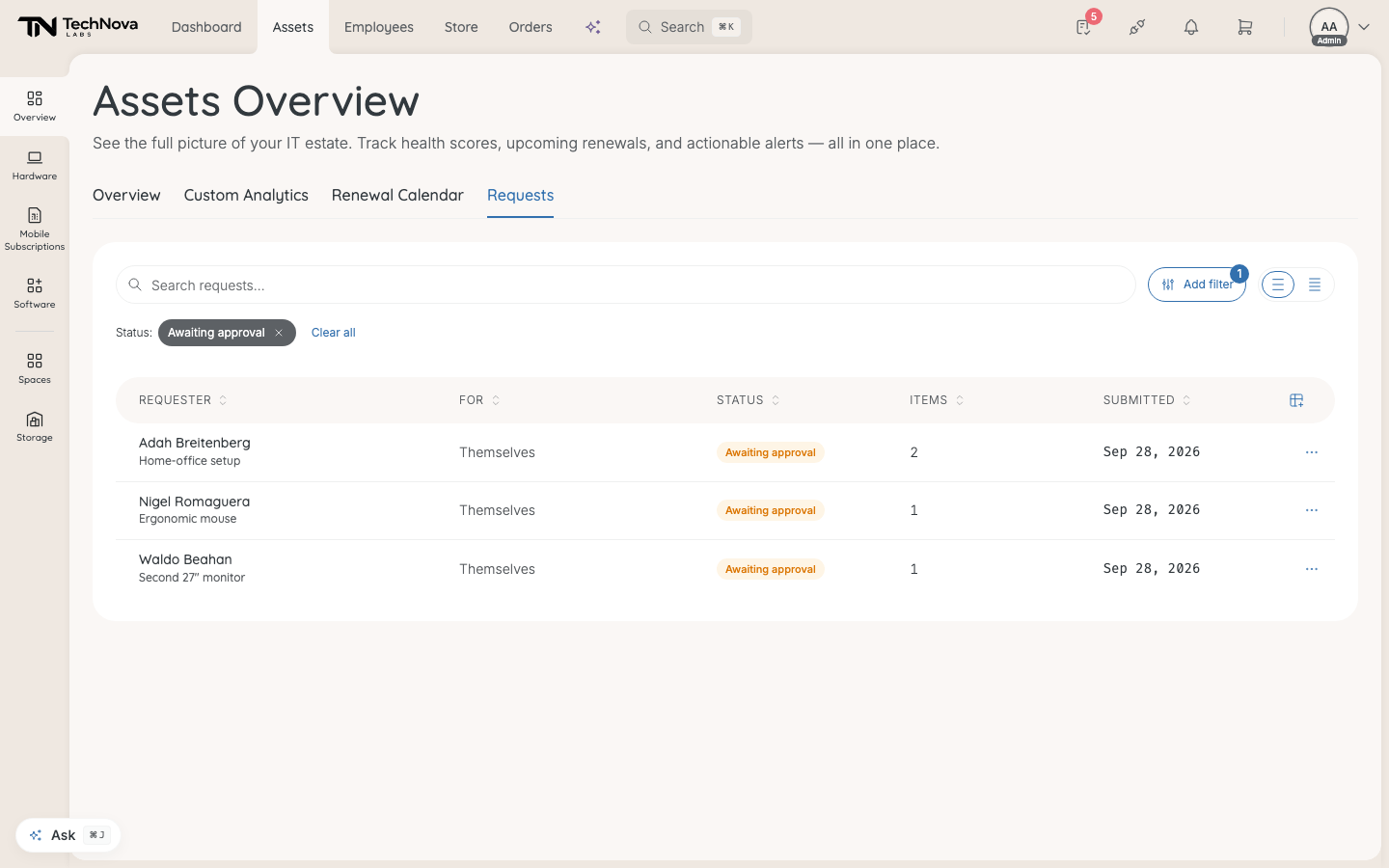
The Requests tab
| Column | Shows |
|---|---|
| Requester | Who asked, and what for |
| Type | Asset request or Bulk asset request — shown only once a Store checkout has created a bulk one |
| For | Who the hardware is for |
| Status | Where it is |
| Items | How many items |
| Submitted | When |
The statuses:
| Status | Meaning |
|---|---|
| Awaiting approval | At least one item is waiting for its approver |
| Awaiting confirmation | Every item is decided. Waiting for an admin to confirm |
| In progress | Confirmed. The order or handover is under way |
| Closed | Delivered and received |
| Cancelled | Cancelled by an admin, deleted by the requester, or every item declined |
The Status filter opens on the live statuses. The tab loads the 200 most recent requests.
Confirm a request
- Open the request.
- Under Hardware, check each item. Change lets you swap it: "Assign a unit from storage, or order a new one."
- Order new buys a new unit of the requested item.
- From storage hands over a unit you already own.
- Check Delivery recipient and Delivery address. A request made in the Store may have none yet — Add recipient and Add address fill them in.
- Select Confirm & continue.
Confirm & continue stays disabled until every item is decided: "Approve or decline every item to confirm." An item showing No eligible approver blocks it too, until someone can approve it.
The order is placed in the requester's name and appears under Orders. See How do I track orders?.
Good to know
The price changed since the request
You are shown Price changed since request before anything is placed. "Confirming places the order at today's price." Select Confirm anyway or Cancel.
A product can no longer be ordered
Confirming skips that line — nothing is bought for it — and the request stays open so you can deal with it another way. The item shows Nothing ordered.
Can I stop a request instead?
Cancel request, next to Confirm & continue, cancels the whole request. It is available until anything has been confirmed. After that, the order is what you would need to stop — see What does an order page show?.
Why are some approved items still on the list?
Approval does not move a request on by itself. Anything at Awaiting confirmation is waiting for you.
Was this article helpful?