How do I disconnect a directory integration?
Disconnecting stops the sync. The people and groups already imported stay in Velory.
Disconnecting an HR system instead? See How do I disconnect an HR integration?.
Before you begin
You need Admin access. Two things are worth knowing first: fields the directory owned become editable by hand again, and nothing then keeps them matching the directory.
Disconnect the integration
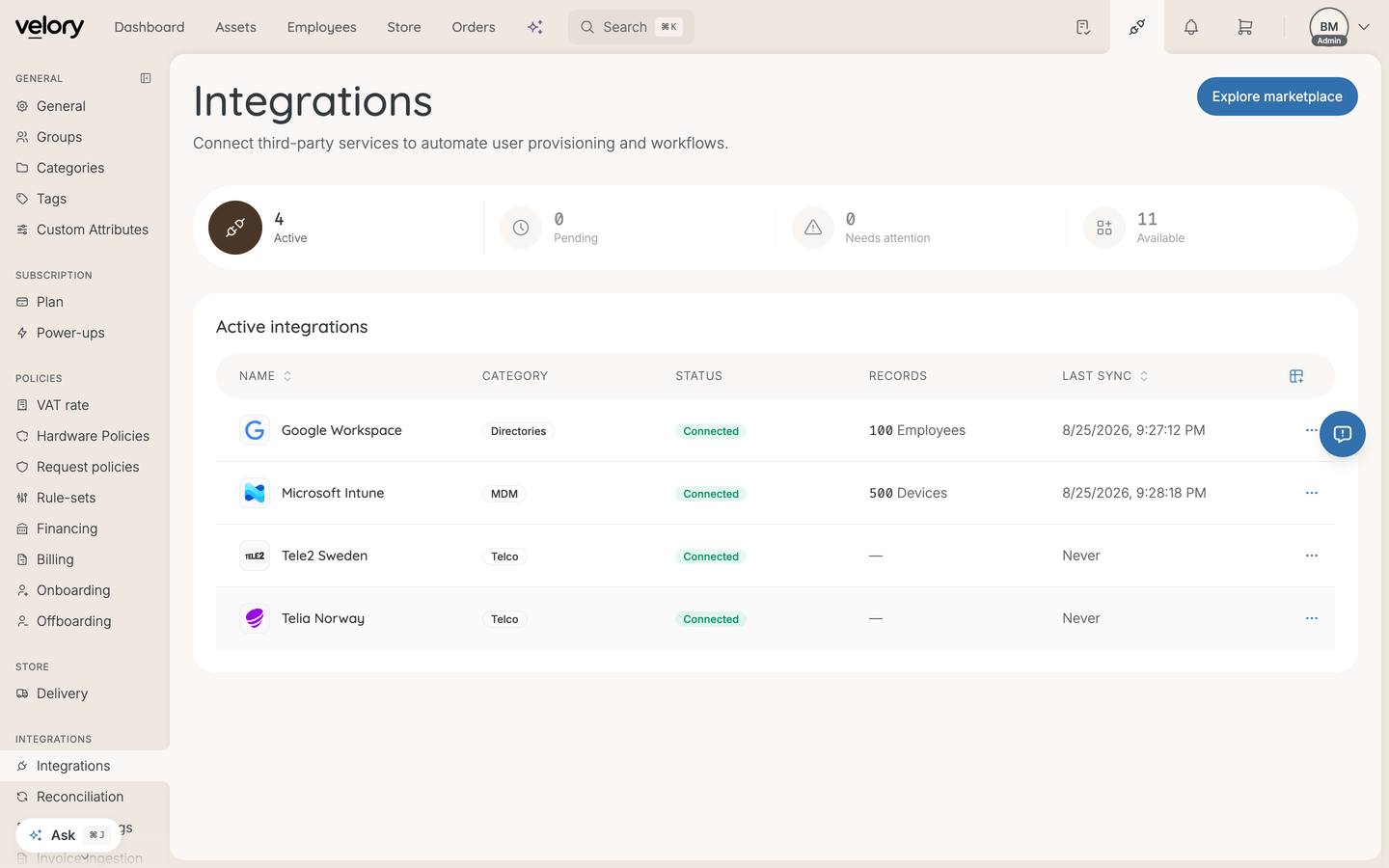
- Go to Settings → Integrations.
- Open the connected directory from Active integrations.
- Click Disconnect.
- Confirm.
What changes afterwards
- Syncing stops — no more webhook updates, and no manual user or group syncs.
- Employees are kept — everyone imported stays, neither deleted nor deactivated.
- Groups are kept — synced groups remain on the employee records they were applied to. They simply stop being updated, so a membership change in the directory will not reach Velory.
- Fields unlock — anything showing "Managed by [Source]" becomes editable.
- History is preserved — past sync runs and reconciliation history remain for auditing.
Good to know
Will this remove anyone's access to Velory?
No. Disconnecting the directory does not touch Velory accounts or logins. If your company signs in through that directory, how sign-in is configured is a separate setting from this integration — check with Velory support before disconnecting if you are unsure.
Do the synced groups get deleted?
No. They stay as they were at the last sync, which means they will drift from the directory over time. If a group only made sense while synced, remove it under Settings → Groups.
Can I reconnect later?
Yes. Go through setup again — including choosing the domain and group scope, which is not remembered — and Velory runs a fresh first sync. See How do I connect a directory integration?.
I only want to stop syncing one field, or narrow the scope.
Then do not disconnect. Disable the field in this integration's field mappings, or change Sync Options, and leave the connection in place. See How does directory syncing work?.
Was this article helpful?