How do I import products from a retailer?
Retailer Products lists everything your connected retailers can sell you. Importing copies a product into your store as a draft — nobody can order it until you publish it from Edit Store, unless you choose Import & publish on its page.
Store → Store Setup → Retailer Products. With a single retailer, the page is named after them — "Dustin Products", for example.
Before you begin
You need a retailer connection. The retailer sets it up — contact them if the page is empty.
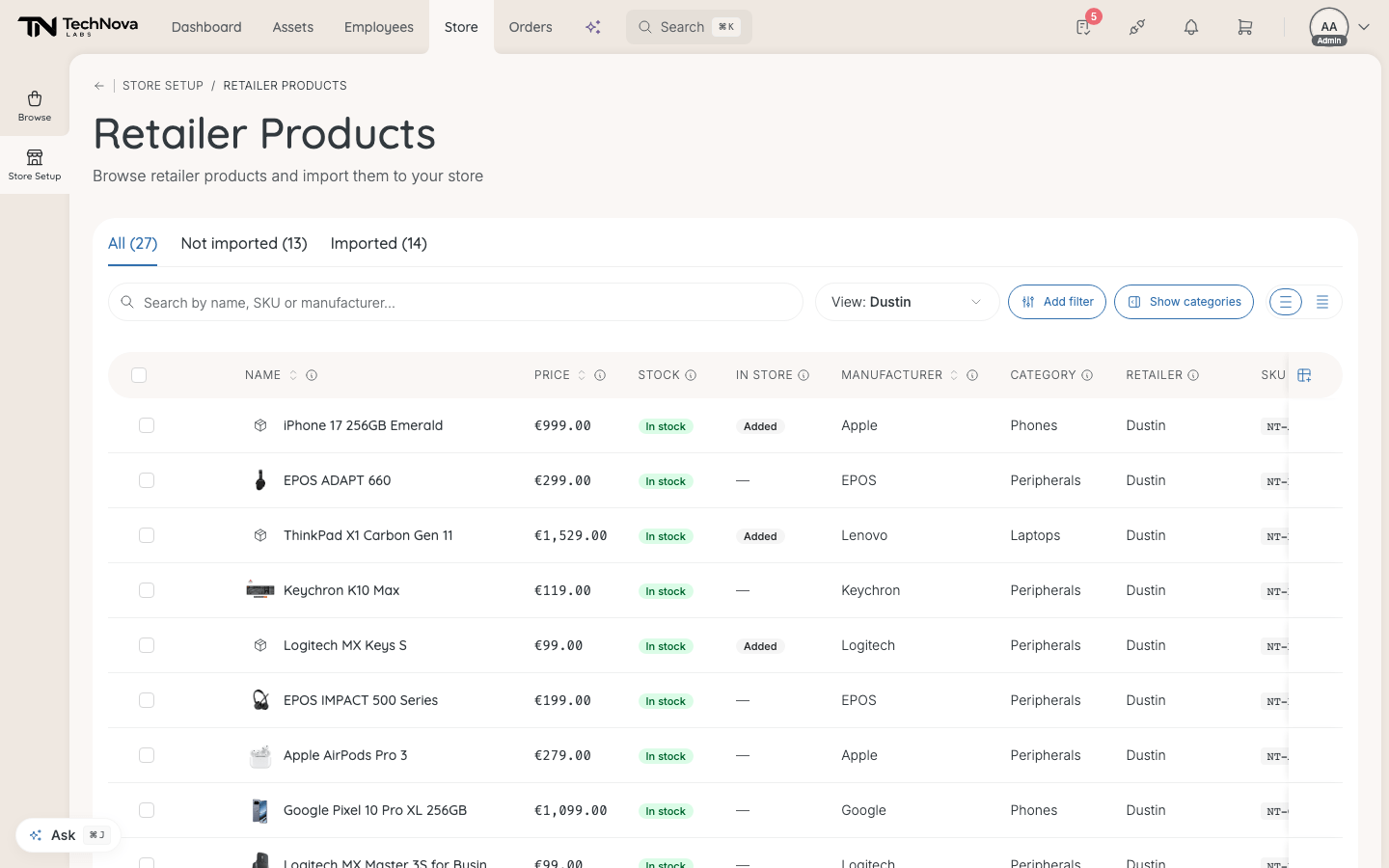
The list
Three tabs: All, Not imported and Imported.
| Column | Shows |
|---|---|
| Name | The product. Show SKUs expands its sizes and colours |
| Price | "Your cost price from this retailer." |
| Stock | What the retailer has |
| In store | Added, or "2 of 3 added" when only some variants are imported |
| Manufacturer | Who makes it |
| Category | The retailer's category |
| Retailer | Who supplies it |
| SKU | The retailer's article number |
Only products with both a price and a stock level are listed. A product the retailer has not finished sending stays out until it has both.
Import products
- Tick the products you want.
- Select the import button. It counts what you ticked — Import 3 SKUs, for example.
Up to 20 import straight away. Larger selections run in the background, and Edit Store shows "Importing N products" with a Cancel button while they do. Products already in your store are skipped.
From a single product's page, the menu offers Import to store, which adds it as a draft like the list does, or Import & publish, which adds it and puts it live in one step — skipping the review described below.
What happens to an imported product
Unless you used Import & publish, it arrives in Edit Store as a draft. Velory sorts it into one of your categories on the way in. Review it and publish — see How do I publish and manage store products?.
After that, the product stays connected to the retailer:
- Price follows the retailer's price lists for your company.
- Stock follows the retailer's stock.
You cannot set your own price on an imported product.
Good to know
A product I imported never appeared
Imports that stall are moved to draft automatically after about ten minutes. Check Edit Store filtered to Draft.
Can I import from more than one retailer?
Yes, when your company is connected to more than one. The Retailer column tells them apart.
Was this article helpful?