What is Store Setup?
Store Setup is where you decide what your company can order. Products come in from your retailer, wait as drafts, and reach the Store — and New request — only once you publish them.
Store → Store Setup, in the Store's left rail. The badge on it counts draft products waiting for you.
Before you begin
You need Admin access and the store:admin permission. Managers cannot open the Store, even with that permission.
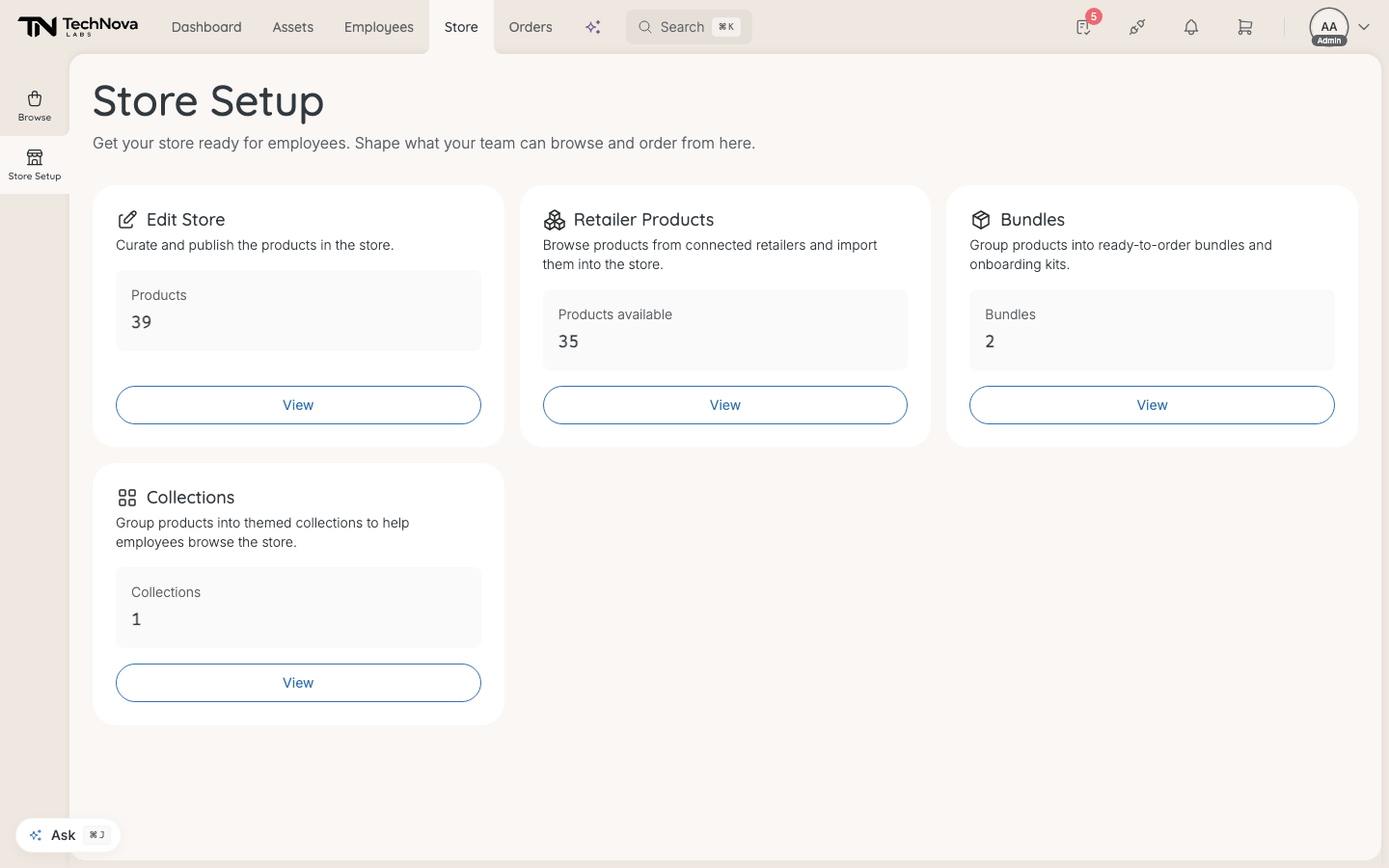
The cards
| Card | What it is for |
|---|---|
| Edit Store | The products in your store: publish, unpublish, recategorise, remove. See How do I publish and manage store products? |
| Retailer Products | Your retailer's catalogue, ready to import. See How do I import products from a retailer? |
| Bundles | Products grouped into one ready-to-order package. See How do bundles work? |
| Collections | Curated sets of products that an entitlement draws from. See How do collections work? |
Edit Store shows how many drafts are waiting.
The setup checklist
A new store shows a Setup checklist first — "What's left before employees can order from the store." It disappears once every step is done.
- Get connected to a retailer. Your retailer sets the connection up for you — there is no button for it in Velory. Contact them if nothing is connected.
- Complete the company billing identity. Only when your retailer needs it before it will accept orders. See How do I set up billing details?.
- Import products. At least one product brought in from Retailer Products.
- Publish products. At least one product live.
The checklist is worked out each time you open the page, so it reflects what is true now.
Good to know
Who can order once products are published?
Admins, in the Store. Employees and managers, through New request — and only what their entitlement lets them ask for. See How do entitlements decide what people get?.
What does the Retailer Products count mean?
How many products your connected retailers have ready for sale — each size or colour counted separately, and including ones you have already imported. It is not a count of what is left to add.
Why does the billing step say "Couldn't check"?
Velory could not read your billing details when it loaded the page. Reload; if it stays, check Settings → General → Billing directly.
Was this article helpful?