What happens when I check out?
Checking out creates a request, not an order. It goes through your company's approval rules like any employee's request, and nothing is bought until it is approved and an admin selects Confirm & continue on it.
That is deliberate: the Store follows the same approvals as everyone else, admins included.
In this guide
Before you begin
You need your own employee record in the company — the request is made in your name. Delivery addresses come from Settings → Policies → Delivery & Returns. See How do I manage delivery addresses?.
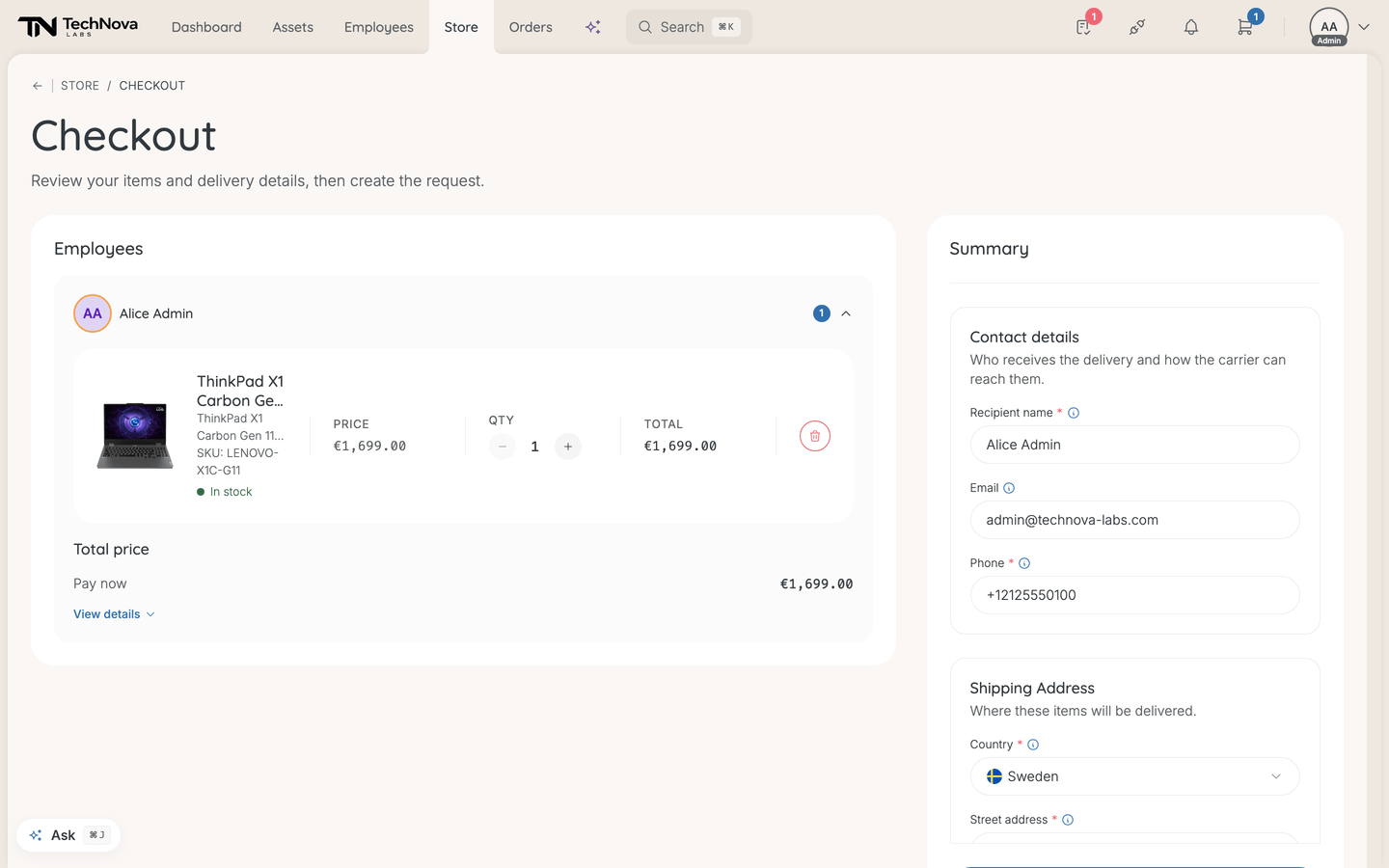
Check out
- Open the cart from the cart icon at the top right, and select Review & checkout.
- Under Employees, check each recipient's items. View details shows the price breakdown.
- Under Contact details, fill in Recipient name and Phone. Email is optional — leave it blank and yours is used. All three start out filled with your details, not the recipient's, so change them if someone else will take the delivery.
- Under Shipping Address, pick one of your company's saved addresses from Delivery address, or choose Different address to type one in. With no saved addresses, you type it in directly.
- Fill in Why is this needed? if you want to — "Whoever approves this purchase reads it." If your approval rules require a reason, it is marked, and the request cannot be created without one.
- Select Create request.
You see Request created and one of:
- "No approval was needed. Open the request and confirm it to place the order." — select View request, then Confirm & continue. See How does an approved request become an order?.
- "Waiting for Anna Berg to approve it." — the approvers have been notified.
- "No one is eligible to approve it yet" — nobody could be found to approve it. See Who approves a request?.
Good to know
Whose approval rules apply — mine or the recipient's?
Yours. The request is made by you, so it follows the rules that cover you. If no rule covers something you bought, it is approved automatically.
Can each person get their own delivery address?
No. One checkout ships everything to one address. To send items to different places, check out once per address.
Where do I put a cost centre or PO number?
There is no field for one. Use Why is this needed? if the approver should see it.
My delivery details were still there when I came back
Checkout keeps an unsent delivery form as a draft and restores it next time. It is cleared when the request is sent.
Is stock checked at checkout?
No. The cart may warn Potentially low stock, but it does not stop you. Stock is checked again when the request is confirmed.
Was this article helpful?