How do collections work?
A collection is a curated set of products that an entitlement draws from — a smaller, focused store for a group. Store → Store Setup → Collections.
It is the answer to "I want the design team choosing from these four laptops, not from everything we sell." An entitlement category set to From a collection points at one, and that is what the employee browses.
In this guide
Before you begin
You need Admin access. A collection is only useful once an entitlement points at it, so it helps to know which group you are building it for. See How do entitlements decide what people get?.
The name is admin-facing only. Employees never see it — they see the products it holds.
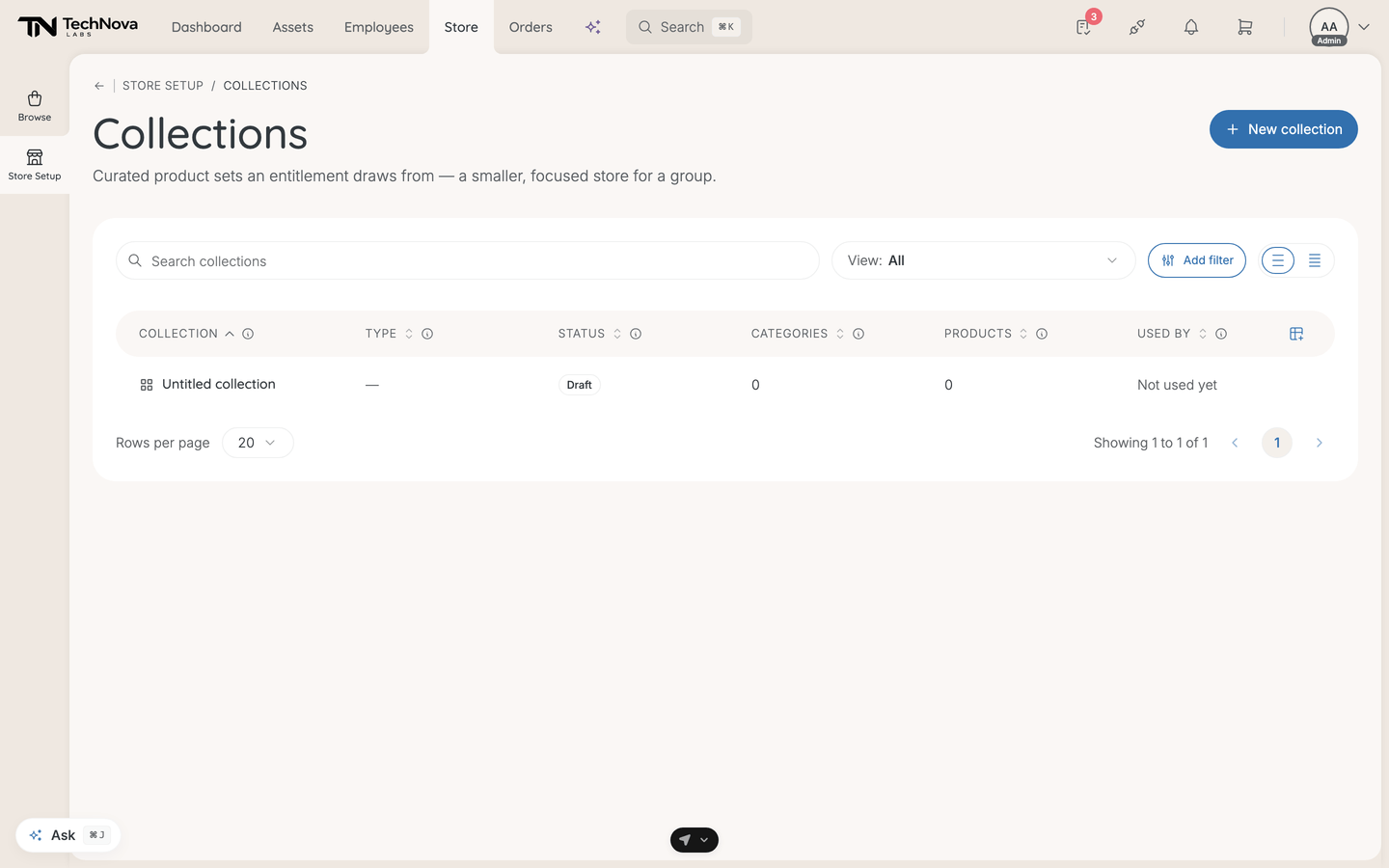
Create a collection
- Select New collection. An Untitled collection is created straight away and opens.
- On Details, give it a Name — "Designer set", say — and, if you like, internal Notes. Select Save.
- On Hardware, select Add a category and choose one, such as Laptops.
- Choose how the category is filled — Curated products or Filter, see below. For curated, select Add products, tick them and Save.
- Repeat for each category the group should choose from.
- Back on Details, set Status to Published. It saves as soon as you pick it — "Collection published". Only now can an entitlement pick it.
The editor shows how many entitlements use the collection, with a link to Manage in Policies ▸ Entitlements.
Two ways to fill one
A collection is organised by category, and each category is filled one of two ways:
| Type | How it picks |
|---|---|
| Curated products | You hand-pick specific products |
| Filter | You set the category's store filters — manufacturer, price range and the rest — and it matches live |
The difference matters over time. A curated category holds exactly what you chose and nothing else changes it. A filter re-matches as the store changes, so a new laptop that fits the filter joins the collection without anyone touching it — which is either exactly what you want or a surprise, depending on how tightly the filter is drawn.
A collection can use both, in different categories. The list calls that Mixed.
The list
| Column | What it shows |
|---|---|
| Collection | The admin-facing name |
| Type | Products, Filter or Mixed |
| Status | Draft, Published or Archived |
| Categories | How many asset categories it is split into — laptops and monitors count as two |
| Products | How many products are hand-picked across all categories. A category that uses a filter counts as zero |
| Used by | How many entitlements draw from it |
The Products column is worth reading carefully. A filter-based collection showing zero products is not empty — it simply has nothing hand-picked. Check the Type column before concluding anything from that number.
Not used yet in the Used by column means the collection exists and reaches nobody.
Status
Draft → Published → Archived.
Only a published collection can be picked when setting up an entitlement. A draft stays out of that list, which is the usual reason a collection you just built does not appear where you expect it.
Inside one
Three tabs: Details for the name, status and internal notes, Hardware for the categories and their products, and Event log for what changed and who changed it.
Notes are internal — never shown to employees.
Good to know
Is a collection the same as a bundle?
No. A collection is a shortlist employees choose from, through their entitlement. A bundle is a package admins order as one, in the Store.
Why can I not pick my collection on an entitlement?
It is still a draft. Publish it, and it appears in the entitlement's collection picker.
What happens to an entitlement if I archive a collection?
Archiving takes it out of the list for new setups. Check the Used by count first — that is how many entitlements are pointing at it right now.
Does a filter collection update by itself?
Yes, and that is the point of choosing one. Products entering the store that match the filter become available to everyone whose entitlement draws from it, with no further action. If you want a set that cannot drift, hand-pick it instead.
A category says "This category has no filters in the store."
Filters come from the store's own setup for that category. If none are configured there, a filter-based category has nothing to match on, and hand-picking is the only option.
Was this article helpful?