How do I find products in the Store?
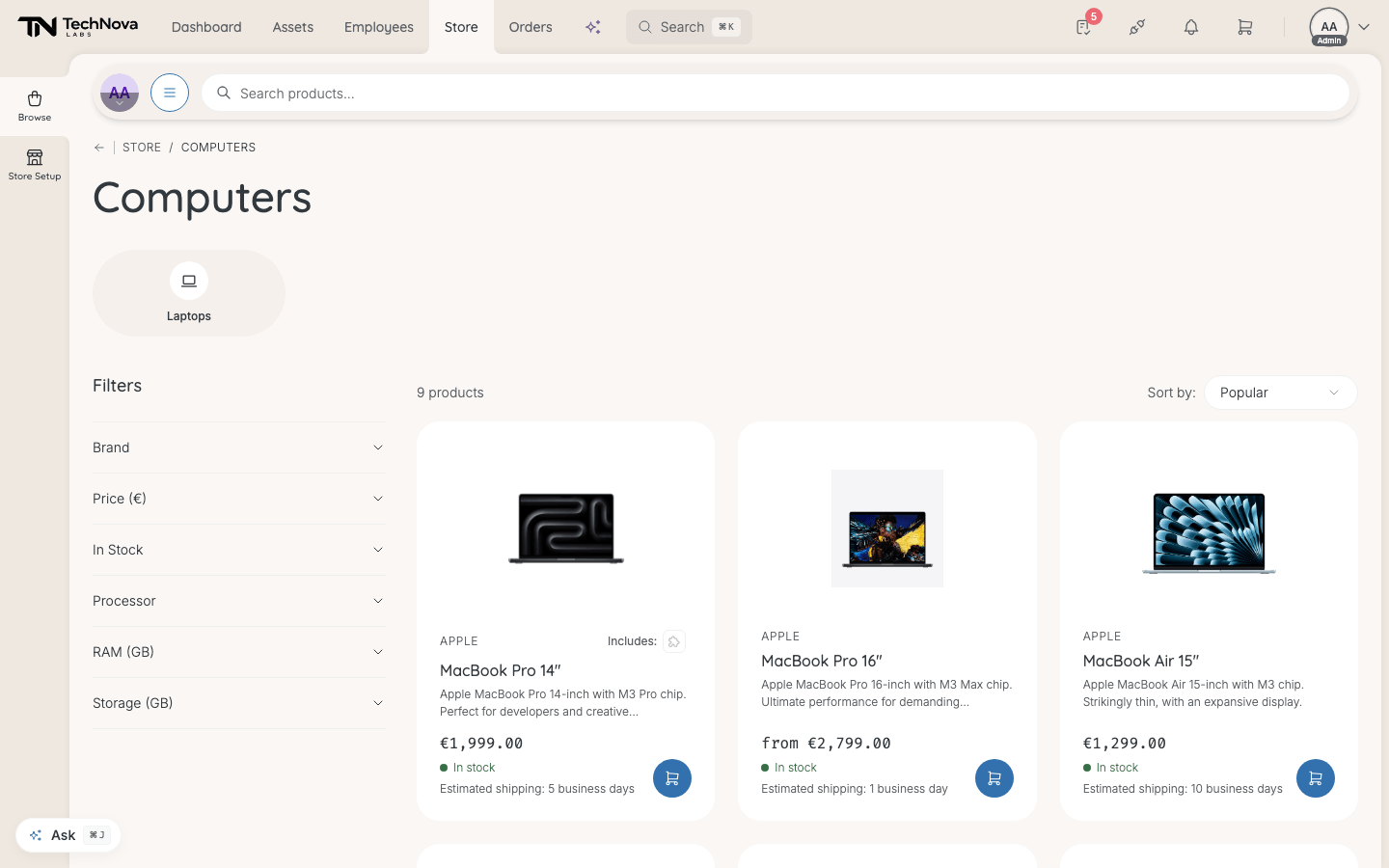
Go to Store in the navbar. The front page has a row of categories, a Trending Now carousel and one carousel per category. Search, the category menu and filters narrow it down from there.
Before you begin
The Store is for admins holding the store:admin permission. Managers and employees request hardware through New request instead — see How do I request hardware?.
Ways in
- Search products... at the top of every Store page. Press / to jump to it. Results appear as you type; Show all results opens the full list.
- Menu, next to the search box, opens every category. Pick All in Computers, for example, to see a whole branch.
- Categories across the front page. Empty categories are not shown.
- Bundles, when your company has published any. See How do bundles work?.
Filters and sorting
A category or search page has Filters: Brand, Price, In Stock, plus filters that belong to the category — Processor, RAM (GB) and Storage (GB) for computers, for example.
Sort by offers Popular (the default), Trending, Price: Low to High, Price: High to Low, Newest and Name: A-Z / Z-A. Search results add Relevance.
The product page
- Variants — colour, size or configuration. The page remembers your choice in its address, so a copied link opens the same variant.
- Price — shown excluding VAT. The VAT breakdown expands under it.
- Stock — In stock, Only 3 left, Low stock, Out of Stock or Stock unavailable.
- Estimated shipping — the supplier's lead time in business days, when they give one.
- What's included — accessories that always come with the product. Their cost is already in the price: "Combined price of all items".
- Description and Specifications tabs.
- Edit product — jumps to the product in Store Setup.
Select Add to Cart. The quick-add button on a product card adds one of the cheapest in-stock variant.
Good to know
Does stock stop me ordering?
No. You can add more than the stock shown, or something out of stock. Availability is checked again when the request is confirmed. A product whose stock is not tracked shows In stock.
Why are prices different in the cart?
The product page shows prices excluding VAT. The cart and checkout show them including VAT.
Does "Shop as" change what I see?
No. The catalogue is the same whoever you shop for. Shop as decides who the items are for, not what is on offer. See How do I order for someone else?.
"This product can't be added right now"
The product has an accessory that must go with it, and that accessory is not available. It can be added again once the accessory is.
Was this article helpful?