Where do I see my devices and software?
Everything assigned to you is under Your assets on your Overview, grouped as Hardware and Software. Select an item to open its details.
Companies that give out phone plans or AI agents through Velory also show Mobile plan and AI Agents.
In this guide
Open a device
-
On your Overview, find Your assets. Each group shows up to six items, then a count of the rest.
-
Select the device. Its details open over the Overview.
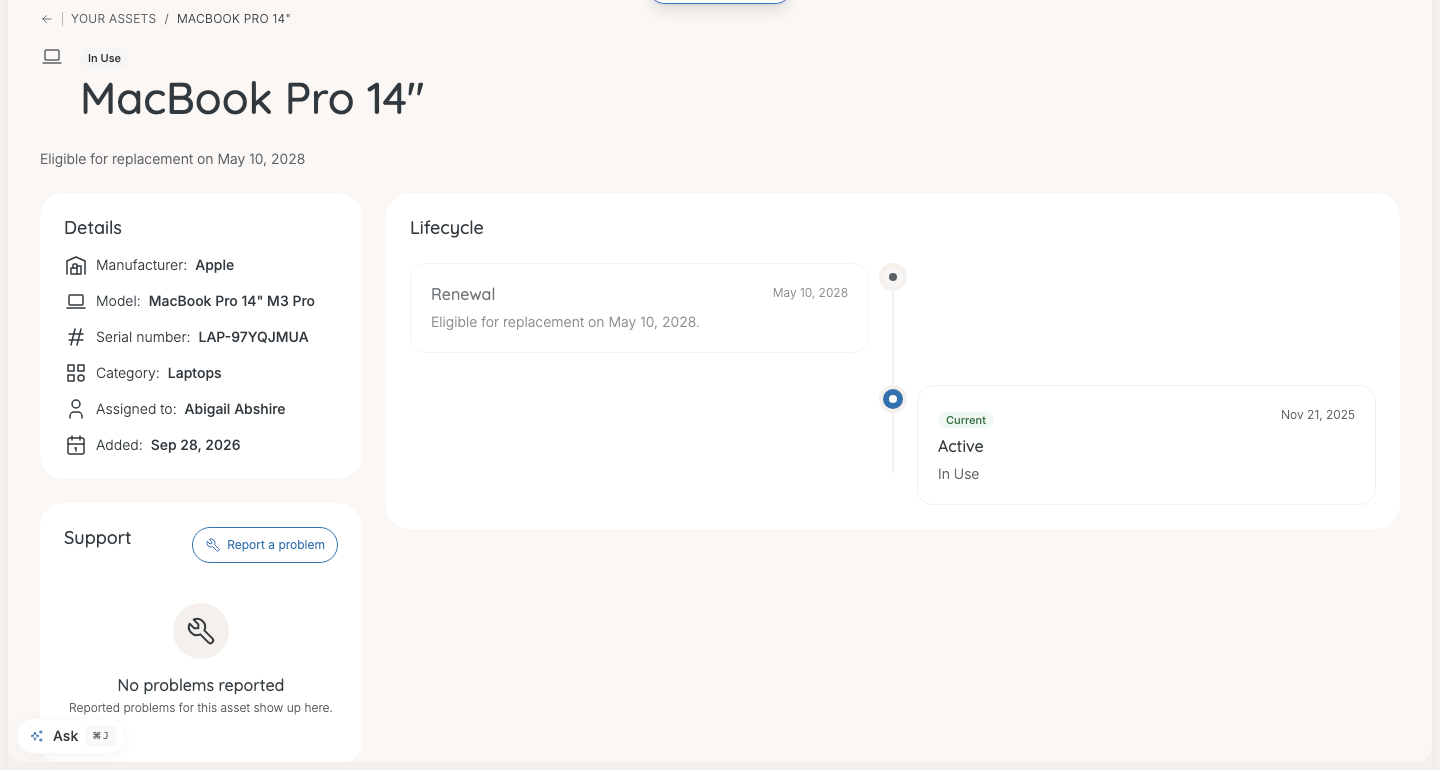
Back to overview closes the details. Before a device is due, its renewal date shows under the name.
The details close back to your Overview. They have no link of their own, so a bookmarked or shared link to a device opens the Overview instead.
What the details show
- Details: what the device is — manufacturer, model, serial number, category, and when it was added. A phone shows its number, carrier and plan. Software shows the service, plan and seat type.
- Support: Report a problem for hardware, and any repairs it has had. See How do I report a problem with my device?.
- Lifecycle: how the device reached you — requested, approved, ordered, shipped, delivered, received, assigned to you — and any repairs.
Labels on your items
| Label | Means |
|---|---|
| In repair | You reported a problem and IT is handling it. |
| Loaner | A device lent to you while yours is repaired. Hover it for a note from IT. |
| Incoming — being prepared | On its way to you. It opens once it arrives. |
| Ready to replace | Due for renewal. See How do I replace a device that's due for renewal?. |
| Renewal in progress | A replacement is on its way. |
Change a software plan
When the service has other plans you may request, the software's details show Change plan, or Add plan when you can hold more than one.
- Select Change plan or Add plan.
- Choose the plan. Add a reason if you like — it helps whoever approves it.
- Select Request.
It goes for approval, then shows under Ongoing tickets. The software shows "Plan change in progress" until it is decided.
Good to know
A device I have is missing, or one I don't have is listed
IT records who has what. Tell your IT admin and they correct it.
A new device is not listed yet
It appears as Incoming while it is on the way, or under Confirm what arrived once shipped. See How do I confirm my hardware has arrived?.
Was this article helpful?