What can I do in Velory?
Velory keeps track of the equipment and software your company gives you. Your Overview is where you see what you have, ask for something new, and report when something breaks.
You land on it when you sign in. The exceptions: while you are setting up as a new hire, or have devices to hand back before you leave, Velory opens that page first.
In this guide
Your Overview
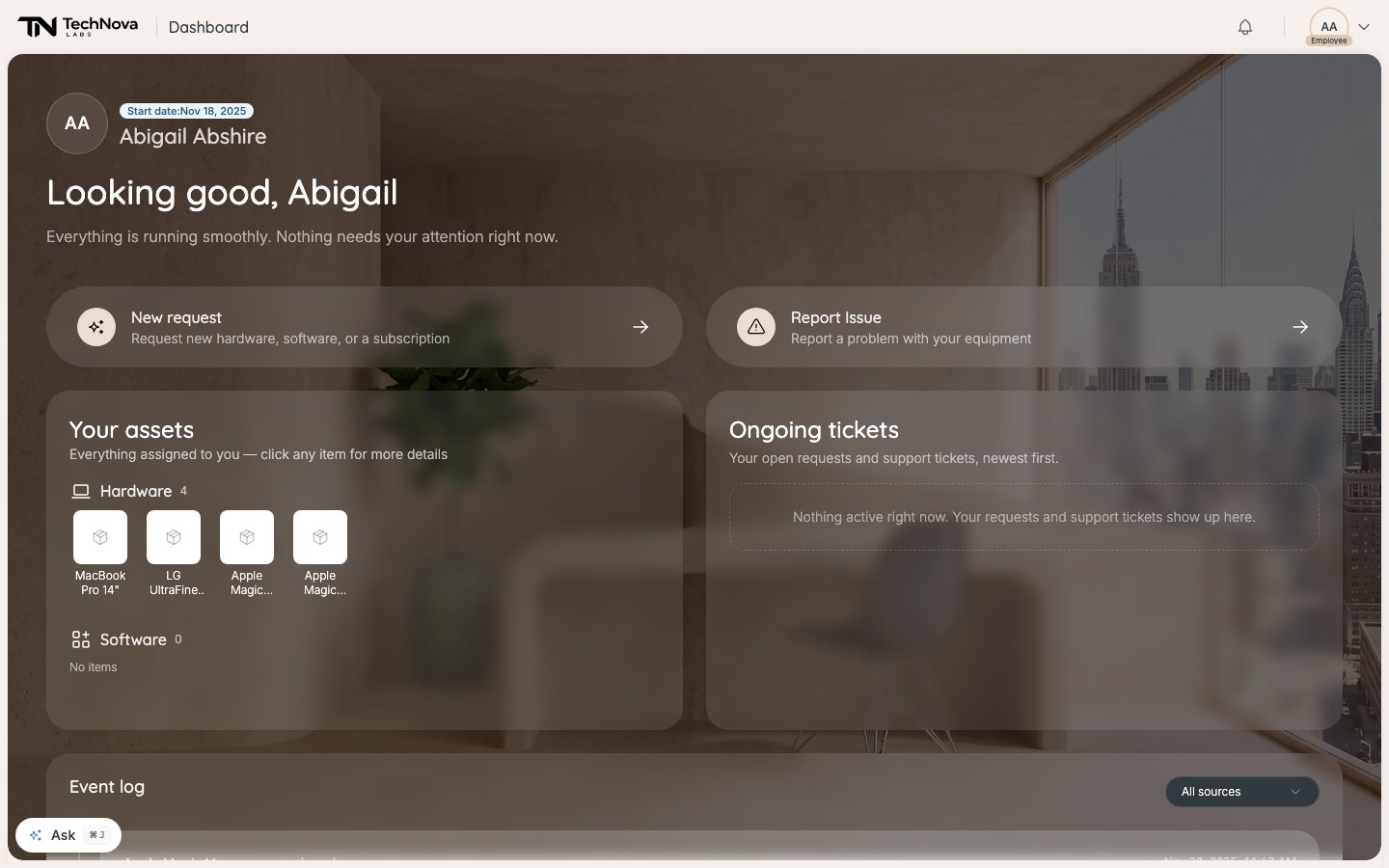
From the top:
- A banner with the one thing that needs you most: a task waiting for your answer, a device due for renewal, a repaired device to collect, or your offboarding. When nothing does, it reads "Looking good".
- Quick actions: New request asks for hardware, software or a subscription. Report Issue reports a problem with a device.
- Confirm what arrived appears when a device ordered for you has shipped. See How do I confirm my hardware has arrived?.
- Your assets lists everything assigned to you, by Hardware and Software. Select any item to see its details. See Where do I see my devices and software?.
- Ongoing tickets lists your open requests and repair reports, newest first. Finished ones drop off.
- Event log shows what has happened to your assets recently.
Around the page
The bar along the top holds your company's logo, which brings you back to the Overview, and the bell, which opens your notifications.
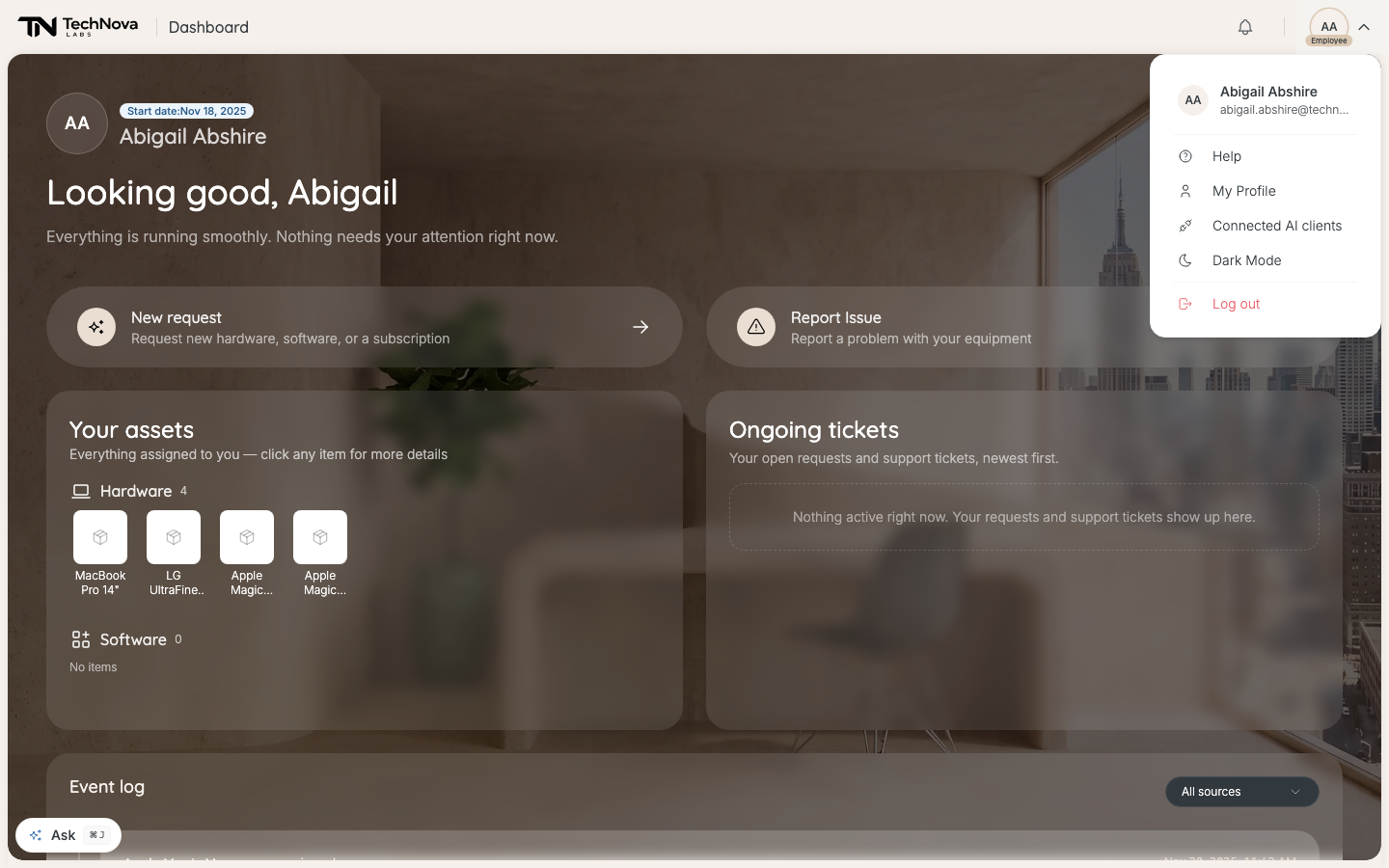
The account menu, under your initials, has:
| Item | What it opens |
|---|---|
| Help | This help centre |
| My Profile | Your photo and password |
| Connected AI clients | Connect an AI tool such as Claude or ChatGPT to Velory, and your notification settings |
| Dark Mode / Light Mode | Switches the colour theme |
| Log out | Signs you out |
Good to know
Where is the store?
Ordering from the store is for IT. You ask through New request, and your request goes to whoever approves it. See How do I request hardware?.
New request is greyed out
Your company has nothing set up that you can request. Ask your IT admin.
Can I use Velory in another language?
No. Velory is in English for everyone.
Something on my Overview is wrong
A device you don't have, or one missing, is something your IT admin corrects. You cannot edit what is assigned to you.
Was this article helpful?