What does the Employee overview show me?
Employees → Overview is the read-only view of your workforce: how many employees you have, how that is trending, what each one costs per month, and who is arriving or leaving in the next 30 days. It has two tabs — Overview, described here, and Transitions, which lists the moves in flight.
Nothing on this page is editable. It is for answering questions, not for doing work.
Before you begin
The overview needs full platform access. A viewer without it is sent to the Employees list instead, so the page is never half-empty. Managers do hold that access and can read the whole page.
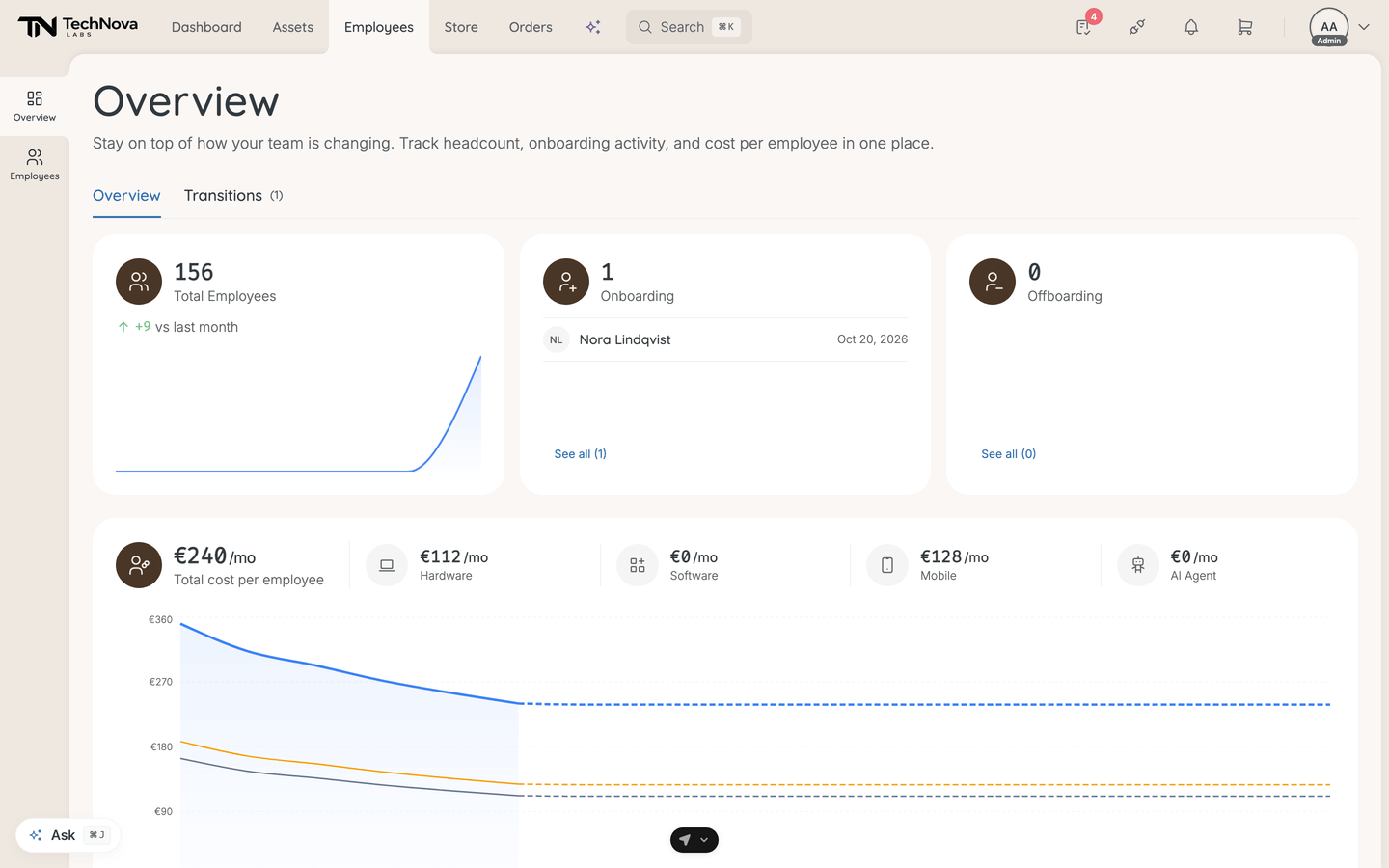
The three headline tiles
| Tile | What it counts | What else it shows |
|---|---|---|
| Total Employees | Everyone on the roster, whatever their status | A net change against last month, and a six-month sparkline |
| Onboarding | Employees with the Onboarding status | The next three upcoming starts, with a See all link to the Transitions tab |
| Offboarding | Employees with the Offboarding status | The next three upcoming departures, with a See all link to the offboardings list |
The net-change figure under Total Employees is hires minus departures for the most recent month. It is hidden when the two cancel out.
Total cost per employee
A headline monthly figure, broken down into Hardware and Software — plus Mobile and AI Agent if your company has those features — over a trend chart of the same split.
The figures are a monthly average per active employee, worked out like this:
| Part | How it is derived |
|---|---|
| Hardware | Purchase price spread over 36 months, plus any monthly lease cost |
| Software | The plan's cost normalised to monthly — a yearly plan divided by 12, a one-time or perpetual cost spread over 36 months |
| Mobile | The subscription's own monthly cost |
Two things to know before you quote these numbers. Until your assets carry cost data, the tiles show illustrative example figures rather than your company's own — so a brand-new company sees plausible-looking numbers that mean nothing. And the AI Agent figure is not calculated yet; it reads as zero once you have any real cost data. Hardware and software costs are the two worth trusting, and only once you have entered purchase prices and plan costs.
The charts
| Chart | Window | Reads |
|---|---|---|
| Hiring & Departures | Last 12 months | Hires against departures, by month |
| Departments | Current | Headcount per department. The card is hidden when no employee has a department |
| Upcoming Changes | Next 30 days | Two lists — upcoming starts and upcoming departures. Each name links to the profile |
| Headcount Forecast | 6 months back, 12 forward | History, then a projection |
| Tenure Distribution | Current | Under 6 months, 6–12 months, 1–2 years, 2–5 years, 5+ years |
The forecast is arithmetic, not a model: it takes today's headcount and adds the start dates and end dates already recorded on employee records, month by month. It knows about a departure only if someone has set an end date. Tenure counts active employees who have a start date, so a person with no start date recorded is absent from that chart entirely.
Good to know
Why does the overview disagree with the Employees list?
It probably does not. The tiles count by status across the whole company, while the list shows whatever filter or saved view you last used. Clear the view selector before comparing.
Why does the Offboarding tile read zero when offboardings are running?
Because it counts employees whose status is Offboarding, not open offboarding projects — and starting an offboarding does not change anyone's status. The Transitions tab is the count of projects; this tile is a count of statuses. They diverge whenever a status has not been moved by hand or by a workflow.
How current is it?
The page refetches every minute, so a status change you make in another tab appears without a reload.
Why is the Departments chart missing?
Because no employee has a department set. The card hides rather than drawing an empty axis.
Why is my forecast flat?
Nobody has a future start date or end date on their record. The projection has nothing to work with and repeats the current headcount.
Can I export this?
Not from this tab. The Transitions tab has a CSV download for the moves in flight, and Settings → Exports covers the employee records themselves. See How do I export my data?.
Was this article helpful?
Related articles