How do I remove an MDM connection?
Updated last monthSara AhlénIntegrations
If you no longer need an MDM integration — for example, if you are switching providers or decommissioning a tenant — you can remove the connection from Velory.
Before you begin
You need Admin access in Velory to remove an MDM connection.
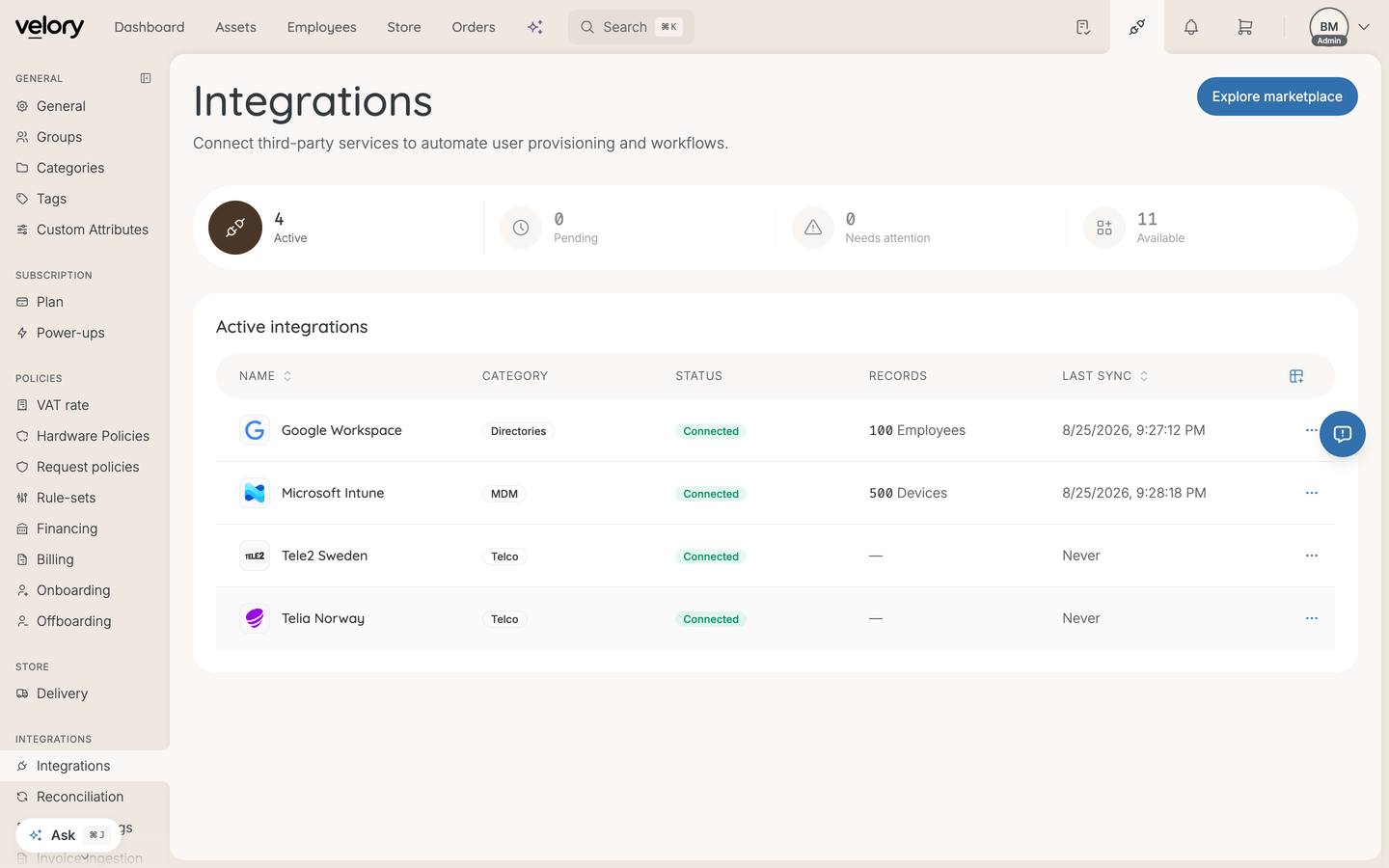
Remove a connection
- Go to Settings → Integrations.
- Open the MDM connection you want to remove.
- Click Remove Integration.
- Confirm the removal.
What happens after removal
- Devices stay in Velory — hardware that was synced from this MDM remains in your inventory. Nothing is deleted.
- Syncing stops — new devices enrolled in the MDM will no longer appear in Velory, and existing devices will no longer receive updates.
- Remote actions become unavailable — you will no longer be able to lock, wipe, or use other MDM actions on devices that were managed by this connection.
Good to know
Can I reconnect later?
Yes. You can set up the same MDM provider again at any time. Velory's reconciliation settings will help match incoming devices to existing records.
Will removing a connection affect devices in the MDM?
No. Removing the connection in Velory has no effect on the MDM itself. Your devices remain enrolled and managed in your MDM provider as before.
Was this article helpful?