How do I connect Google Workspace Endpoint Manager?
Google Workspace Endpoint Manager syncs Chrome OS and mobile device inventory from Google Admin into Velory. It connects with a Google sign-in rather than an API key.
Before you begin
- You need Admin access in Velory.
- You need a Google Workspace admin account.
This is a separate integration from Google Workspace. That one syncs users and groups; this one syncs devices. Connecting one does not connect the other — see What are directory integrations?.
Connect it in Velory
- Go to Settings → Integrations.
- Click Explore marketplace.
- Open the MDM category, find Google Workspace Endpoint Manager, and click Connect.
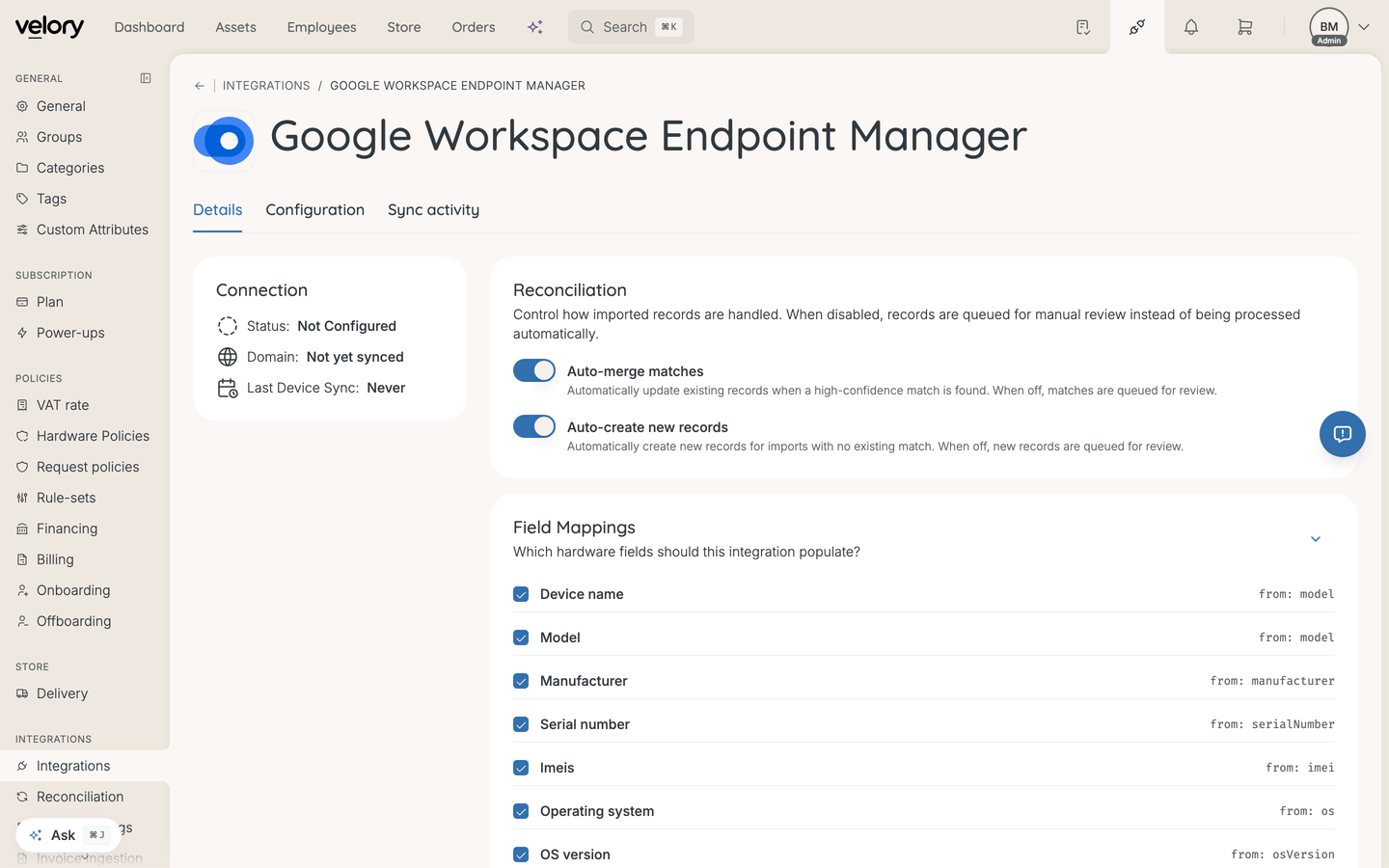
- Open the Configuration tab. The page opens on Details, which shows connection status but no connect action.
- Click Connect Google Workspace.
You will then see:
- A Google sign-in page.
- A consent screen listing the permissions Velory is requesting.
- A redirect back to Velory once you approve.
Permissions Velory requests
- Read Chrome OS device inventory (read-only)
- Read mobile device inventory (read-only)
Both are read-only. This integration cannot issue lock, wipe, or lost-mode commands — it reports inventory and nothing more.
Good to know
Does this give me MDM actions on Chrome OS devices?
No. It is read-only by design. If you need lock or wipe on Apple hardware, that comes from Jamf Pro or Iru; see How do I use MDM actions on a device?.
How do imported devices reach my hardware list?
As reconciliation candidates, like other device imports. See How do I reconcile imported hardware?.
Unlike Apple Business and HelloRetriever, devices synced here are treated as MDM-managed, because Google Admin genuinely manages them.
Can I connect more than one Google Workspace domain?
Yes. Use Add Another Google Workspace Domain on the integration page.
The connection stopped working. Do I lose my setup if I reconnect?
No. Re-authorising refreshes the connection's access and keeps its sync scope, field mappings, and history.
How do I disconnect it?
The same way as any MDM connection — see How do I remove an MDM connection?.
Was this article helpful?