What HR integrations does Velory support?
Connecting your HR system syncs employees into Velory automatically. You connect once, and new hires, updates, and departures follow from the system that already records them.
If you are choosing between this and a directory integration, see What is the difference between HR and Directories? first.
In this guide
Before you begin
You need Admin access to manage integrations. Navigate to Settings → Integrations to see available integrations.
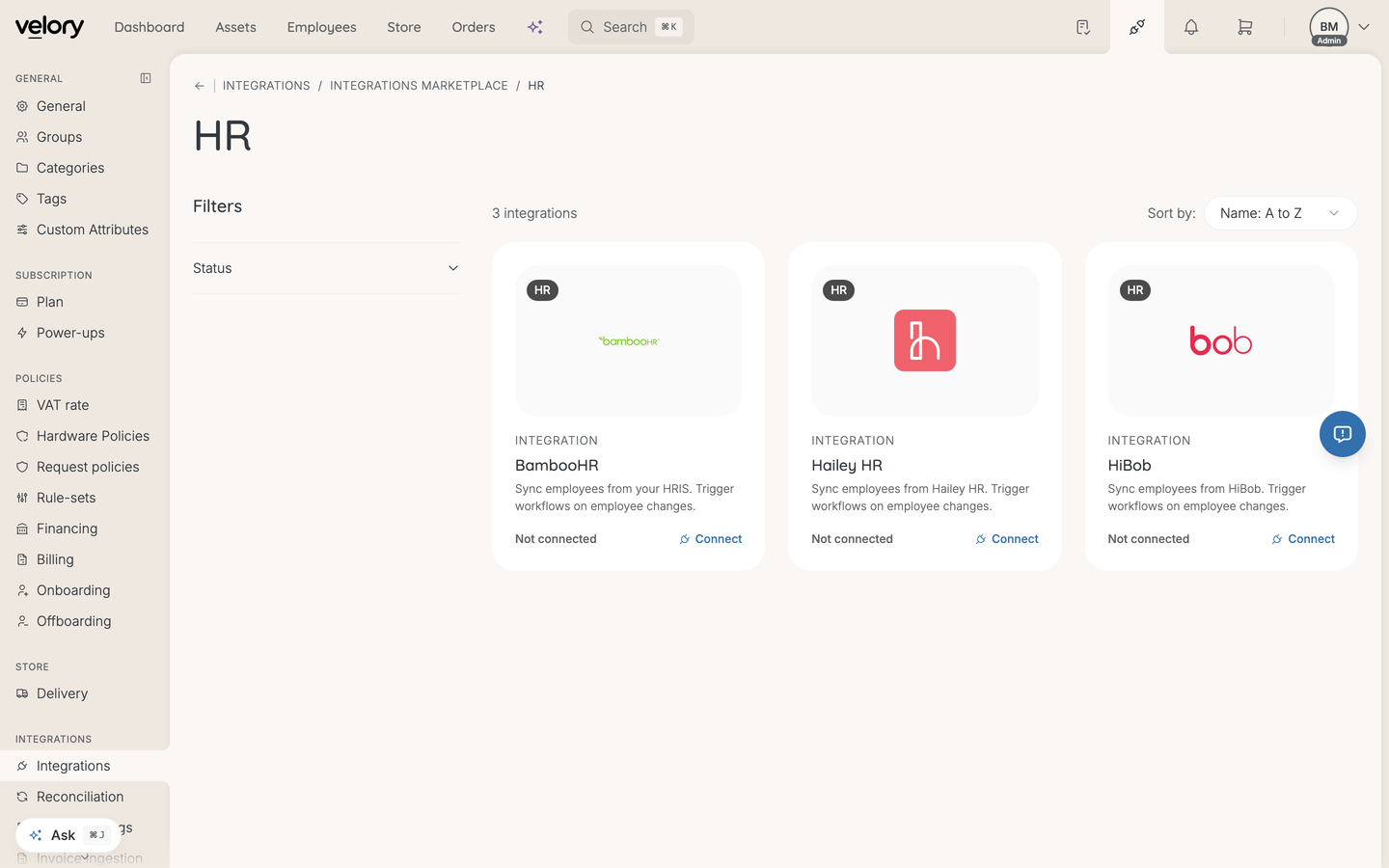
Supported HR systems
| Provider | What it syncs | Authentication |
|---|---|---|
| BambooHR | Employees, departments | OAuth |
| Hailey HR | Employees, departments | Personal Access Token |
| HiBob | Employees, departments | OAuth (marketplace app) |
HiBob has its own guide, because it is the one provider where you approve an app rather than supply a credential — see HiBob integration guide.
Google Workspace and Microsoft Entra ID also sync employees, but they are identity providers rather than HR systems and live under Directories — see What are directory integrations?.
What gets synced
Velory pulls employee data including:
- Name — first name and last name
- Email — work email address (used as the primary identifier)
- Department — team or business unit
- Job title — role or position
- Location — office or city
- Phone — work phone number
- Start date and end date — employment dates
- Manager — reporting relationship
- Employee number — your organisation's internal ID
- Status — active, inactive, onboarding, or offboarding
The exact fields available depend on the provider and your field mapping configuration.
How sync works
After connecting an integration:
- Initial sync — Velory fetches all employees from the provider.
- Ongoing sync — New hires, updates, and departures are synced automatically via scheduled syncs or webhooks (real-time updates).
- Reconciliation — Imported employees are matched against existing records to prevent duplicates. High-confidence matches can be merged automatically.
You can also trigger a sync manually at any time from the integration detail page.
Multiple connections
You can connect multiple instances of the same provider — two BambooHR accounts, for example. Each connection has its own label, credentials, and sync history.
Good to know
Do I still need to add employees manually?
Not for employees that exist in your HR system. Once connected, Velory keeps your employee list in sync. You may still add employees manually if they are not in your HR system (e.g. contractors or temporary staff).
What happens to existing employees when I connect an HR system?
Velory matches imported employees with existing records using email, employee number, and other identifiers. Matches are merged automatically (if your reconciliation policy allows it) or queued for manual review. No data is lost — existing records are updated, not replaced.
Can I control which fields the integration writes to?
Yes. Field mappings let you configure which provider fields map to which Velory fields. Fields owned by an integration show a lock icon on the employee detail page and cannot be edited manually — changes must come from the source system.
Was this article helpful?
Related articles