How do I decide what happens to a leaver's assets?
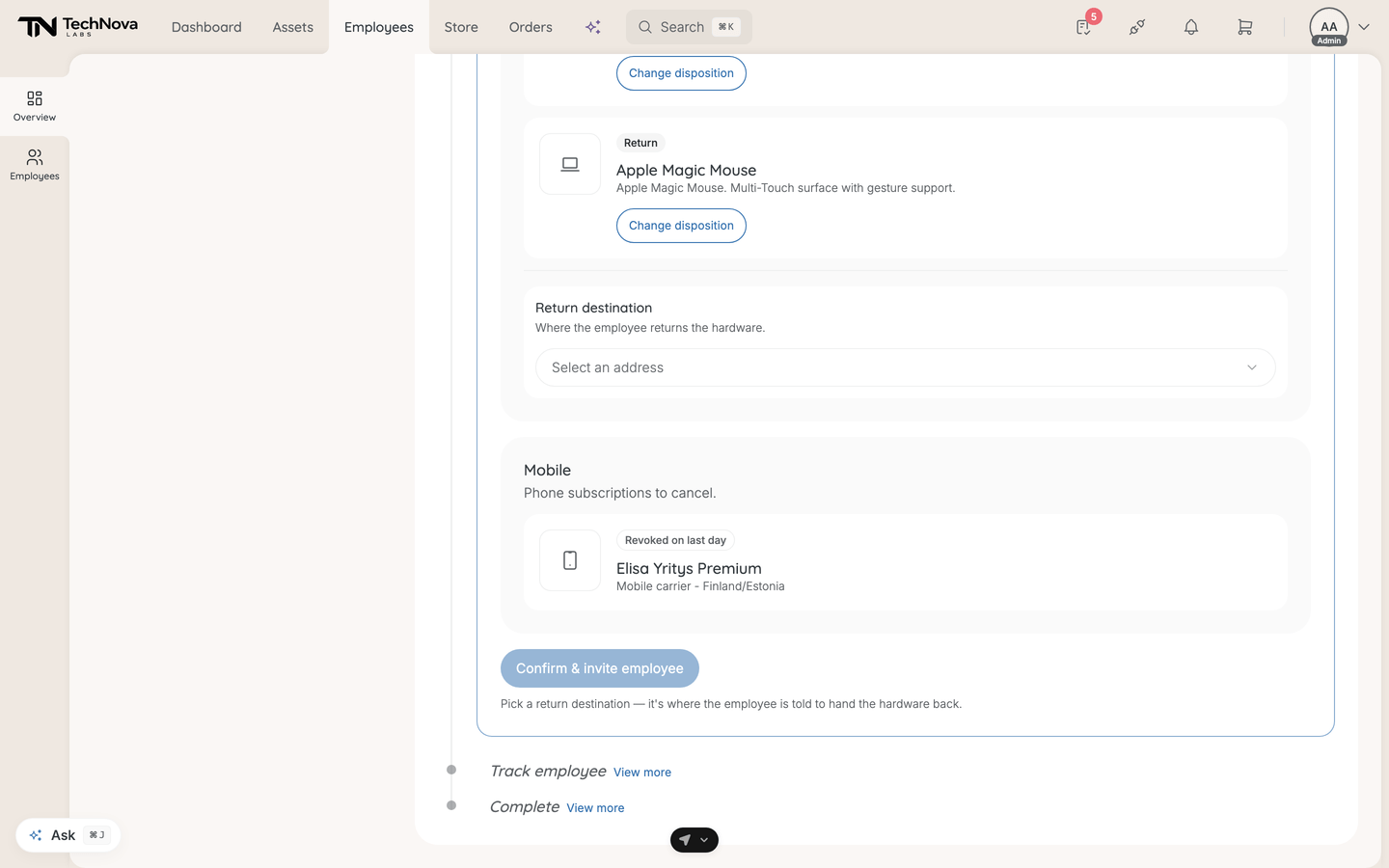
After confirming a departure, the next step lists everything the person holds and asks what becomes of each item. It is called Set up asset options in self-serve mode and Returns in admin-handled mode — the same step, named for who makes the final call.
The project cannot close until every asset has a decision.
In this guide
Before you begin
You need Admin access. The pre-selected option for each device comes from End of assignment on the entitlement category covering it, and the return destination from your Return policy. See What can I set on an entitlement category? and How do I set delivery and return addresses?.
The four categories
| Category | What it covers | What you decide |
|---|---|---|
| Hardware | Physical devices | Return it or let them keep it |
| Software & access | Seats and licences to revoke | Nothing — revoked on the last day |
| Mobile | Phone subscriptions to cancel | Nothing — cancelled on the last day |
| AI agents | AI assistants to disable | Nothing — disabled on the last day |
Only hardware is a decision. Everything else is read-only in both handling modes and shows Revoked on last day. Each card links through to where the asset lives in Asset management.
The hardware options
| Option | What it means |
|---|---|
| Return only | The employee returns the device to the company |
| Employee keeps it | The employee keeps the device, and it is written off |
| Return or buy-out | Offer a price — the employee can buy it or return it |
Return and Keep are always both available, and which is pre-selected comes from the entitlement. Whether you can change it depends on Lock this choice on that category: unlocked, it is a suggestion you can switch; locked, the action is enforced.
Buy-out is currently switched off and does not appear as an option. It is waiting on a price calculator that values the device by its depreciated worth rather than what you paid for it — until that lands, offering a buy-out would quote the wrong number. Buy-outs recorded before it was disabled still display as they were. Buy-out is also self-serve only by design: it needs the employee to accept a price.
The return destination
One destination covers the whole hardware set: the address the employee is told to hand their devices back to. It is required — the step will not let you continue without one, because it is what the employee is instructed to do. You can add a custom address if none of the saved ones fit.
Confirming
The button reads Confirm options in self-serve mode, or Confirm returns in admin-handled mode, which does not email anyone. In self-serve mode the leaver is emailed their link only when Hand-back instructions for the leaver has email switched on under Settings → General → Notifications — it is off until you turn it on. The confirmation message says whether the email went out. With or without the email, a self-serve leaver is taken to their offboarding page when they sign in. While it is off, you can send the link from the Track employee step. See How do I choose which notifications Velory sends?.
You can re-open the step afterwards to change a disposition.
Good to know
Can I change one item after confirming?
Yes. Re-open the step and each disposition becomes editable again, or use Change disposition on the individual card.
Why is a device already decided?
Two reasons. Involuntary — immediate auto-decides everything on submission, and the entitlement pre-selects an option for every device — a selection you can change unless that category locks it.
What does "Keep" do to the record?
The asset is written off to the employee. It stays on their record rather than returning to your stock, so it will not appear on the Collect returns step.
What about a device the person has already lost?
Decide it the way you want the record to read, then correct the asset itself in Asset management. The offboarding step tracks intentions and hand-backs, not investigations.
Is software actually revoked automatically?
The seats are marked for revocation on the last day. Whether access at the vendor disappears depends on how that service is configured — a service with provisioning set up will act on it, one without leaves the vendor side to you. See What is provisioning and deprovisioning?.
Was this article helpful?