How do I set up billing details?
Settings → General → Billing holds where retailers send invoices for your orders, and the registered identity they invoice. The page itself is headed Billing Identity.
This is not the delivery address. Hardware ships to the address chosen on each order — see How do I manage delivery addresses?.
Before you begin
You need Admin access. Fill this in before your first order rather than after: an incomplete billing address is a reason distributors reject an order.
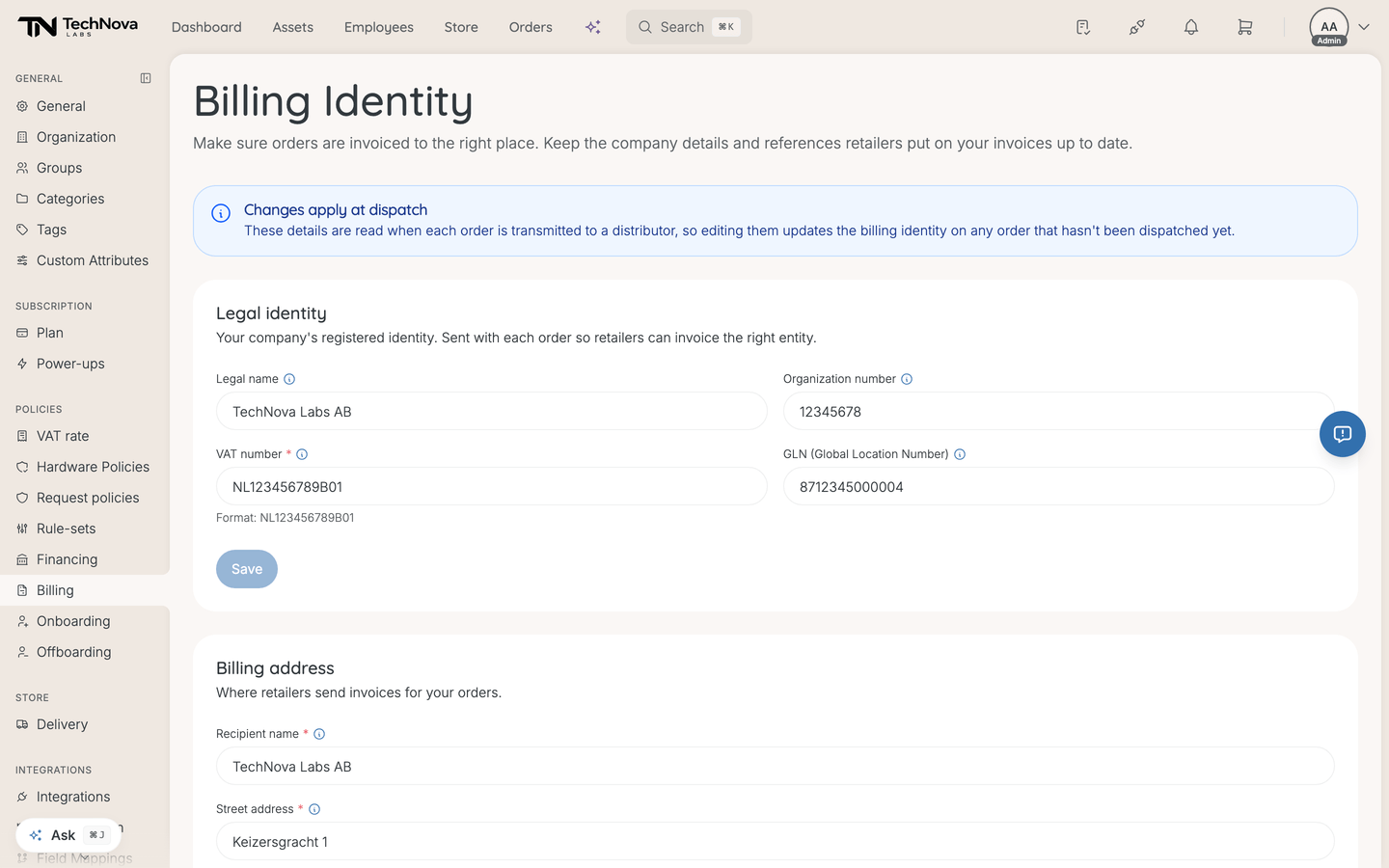
Changes apply at dispatch
Worth knowing before you edit anything. These details are read when each order is transmitted to a distributor, not when the order is placed — so editing them updates the billing identity on every order that has not been dispatched yet.
That is usually what you want: correct a wrong VAT number and the orders still in the queue go out right. It also means a mid-flight edit reaches orders you may not have been thinking about.
Legal identity
Your company's registered identity, sent with each order so retailers invoice the right entity. Four fields, saved together:
| Field | Notes |
|---|---|
| Legal name | The registered entity, not the trading name |
| Organization number | |
| VAT number | Required. The form shows the expected format for your billing country, such as NL123456789B01 |
| GLN (Global Location Number) | Optional for most, blocking for some — see below |
GLN is the field to pay attention to. It is your GS1 Global Location Number, and distributors that use it cannot route an order without it — dispatch is blocked while it is missing. If you order through a distributor that requires a GLN, an empty field here is a silent hold on your orders.
Billing address
Recipient name, street address, postal code, city and country, saved separately from the identity above.
Recipient name is who the invoice is addressed to, and is required; it defaults to your legal name.
Country does more than it looks — it sets the VAT and postal code formats this page expects, and is sent as the billing country on each order. Set it first and the rest of the form validates against the right conventions.
Good to know
Which address does hardware ship to?
The one chosen on the order, from your saved delivery addresses. The billing address here is only for invoices. Getting these two confused is the most common mistake on this page.
Do I need a GLN?
Only if a distributor you order through uses one. If yours does and it is blank, orders will not dispatch. If yours does not, leave it empty.
Why was my order rejected?
Check this page first. Distributors reject an order whose billing address is incomplete, and a missing GLN blocks dispatch at distributors that require it. Both fail at the retailer rather than in Velory, so the cause is not always obvious from the order itself.
Is this where I see what I pay Velory?
No. This is where retailers invoice you for hardware you order — it has nothing to do with your Velory subscription.
Was this article helpful?