How do integrations work in Velory?
An integration connects Velory to a system you already run — an HR system, a directory, an MDM, a mobile operator — and keeps the records in Velory matching what that system says.
The useful part is not the import. It is what happens when you connect a second one. Two systems usually disagree: your HR system knows job titles and cost centres, your directory knows who can log in, your MDM knows serial numbers. Connect several and Velory builds one record per employee or device out of all of them, with each field taken from whichever source you trust for that field.
In this guide
Where integrations live
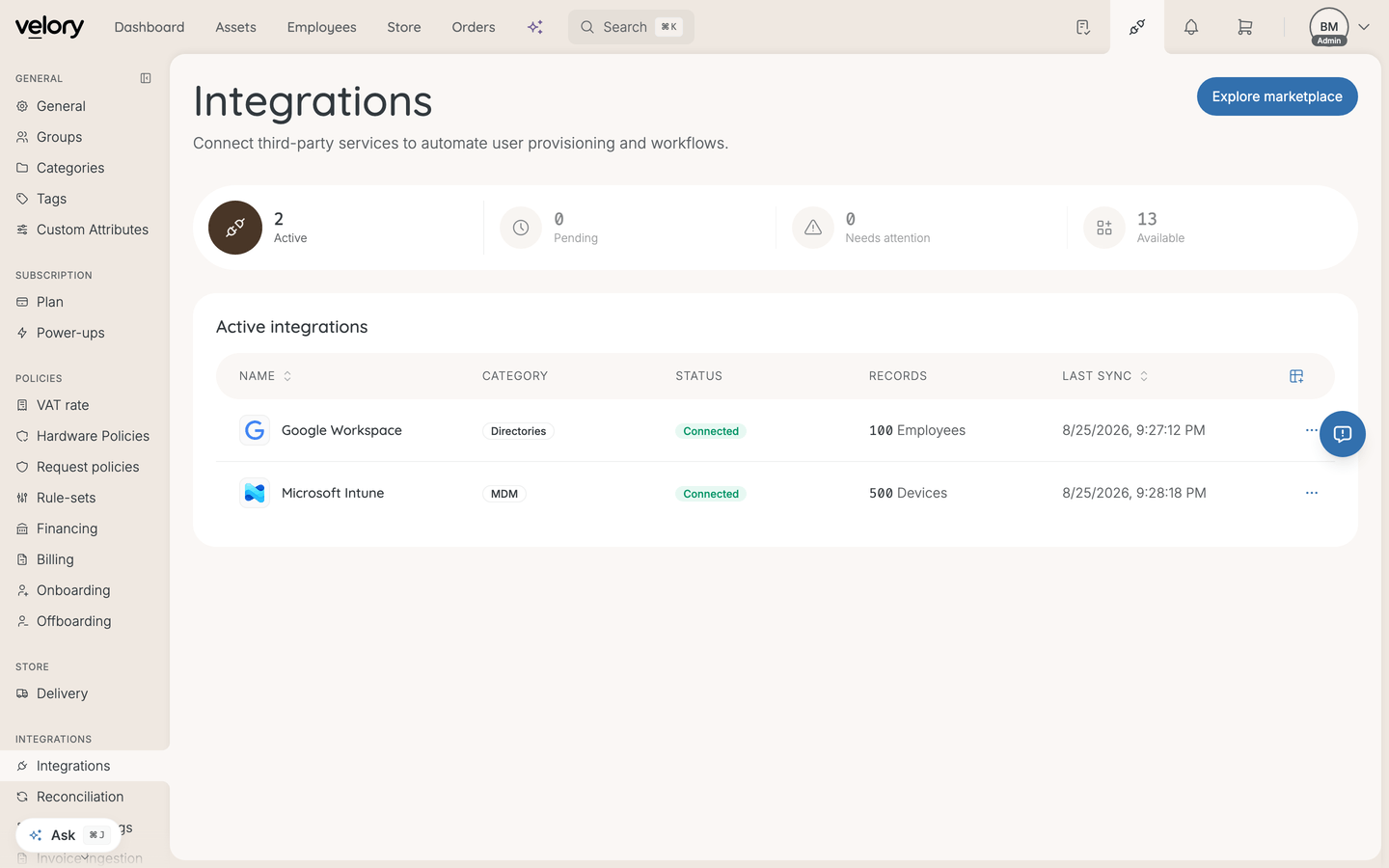
Go to Settings → Integrations. This page shows what is already connected — with each connection's status, record count, and last sync — and counts of what is active, pending, needs attention, and available.
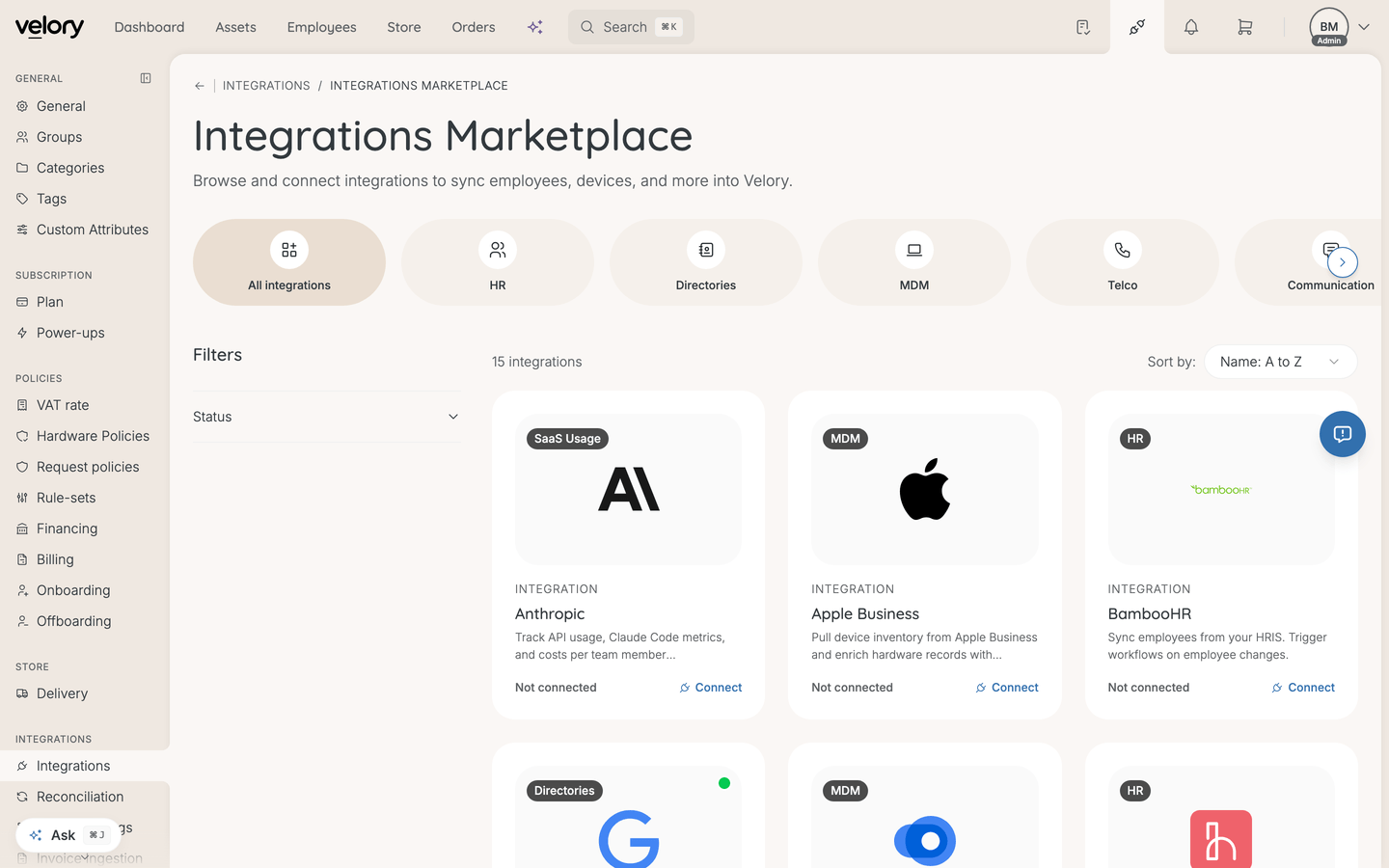
To add one, click Explore marketplace. The marketplace groups every available integration by category — HR, Directories, MDM, Telco, Communication, Productivity, SaaS Usage, Logistics — and you can filter by whether it is already added.
Set it up in this order
This is the part worth getting right, because doing it out of order creates work rather than breaking anything:
- Connect the integration — but do not sync yet. For an employee source, see How do I connect an HR integration? or How do I connect a directory integration?; for devices, What is MDM and how does it work in Velory?.
- Check the reconciliation policy for that integration, so you know whether it will merge and create records on its own — see What is reconciliation and how does it work?.
- Set the field mappings, so each field has the source you want — see How does HR syncing work? or How does directory syncing work?.
- Then sync. Whatever needs a decision arrives as a candidate; How do I resolve reconciliation candidates? covers working through them.
If you sync first and set field mappings afterwards, the fields already imported keep their original source until you run another sync. Nothing is lost — you just have to sync again, and possibly work through matches you would rather not have had to review.
Reconciliation decides what a sync does to your records
A sync does not write straight into your employee or hardware list. Imported records become candidates, and reconciliation works out whether each one matches something Velory already has.
Two settings per integration control how much it does without asking, and both are on by default:
- Auto-merge matches — update an existing record when the match is high-confidence. Off, and high-confidence matches queue for review instead.
- Auto-create new records — create a record when there is no match. Off, and everything new queues for review.
Leaving both on is the right default for most first imports: a company directory is mostly people you want, and skipping the handful you don't is less work than reviewing everyone. Turn them off when you would rather approve every record — a small import, or a source you do not trust yet.
See What is reconciliation and how does it work? for working through candidates.
Field mappings decide which source wins
There are two field-mapping views, and they do different jobs:
| Where | Scope | What it does |
|---|---|---|
| On the integration, under Configuration | That integration | Which fields this integration fetches at all |
| Settings → Field Mappings | All integrations | Which integration is the primary source for each field, with fallbacks |
The order matters: a field has to be selected on the integration before it can appear in the global view, because Velory only offers sources for fields it actually fetches. Once an integration is connected its label appears there immediately, and the first integration you connected becomes the primary source by default.
Every field also has a manual fallback, so you can choose to own a field yourself rather than let any integration write it.
See How does HR syncing work? and How does directory syncing work? for the detail.
How often things sync
It depends on the integration, and it is worth checking rather than assuming:
- HR and directory integrations support webhooks, so after the first sync they update close to real time as people change in the source system. They also have a Recurring sync switch, off by default, for when webhooks cannot be made to work.
- Device integrations poll on their own every hour. That is their only change feed, so Recurring sync is on by default here and the switch exists to stop it.
- Everything else — telco, logistics, Slack, Linear, Anthropic — syncs when you click Sync Now. Anthropic is the exception: it pulls usage hourly on its own.
Recurring sync lives on the Sync activity card, next to the manual sync button, and is set per connection. Jamf Pro has no switch: it has no background sync to schedule.
Good to know
Do I need to be an admin in the other system?
For most, yes. Google Workspace, Microsoft Entra ID, and Microsoft Intune all need an admin account in that system to grant access. API-key integrations depend on who is allowed to create keys there, which varies by vendor.
What if two integrations disagree about a field?
That is what field mappings are for — the primary source wins. If no primary source has a value, Velory falls back down the list you set.
Can I try an integration without a real account?
For Google Workspace and Microsoft Intune, yes. Company settings has an integration testing mode that generates sample records so you can see the shape of an import without connecting a live account.
Test it on a company you are willing to leave messy. The synced sample records can be cleared again, but only while no live connection to that provider exists.
Why is an integration I expected not in the marketplace?
Some are enabled per company — both mobile operators are, for example. If something you expect is missing, contact Velory support rather than looking for it under another category.
Was this article helpful?