How do I manage product and hardware categories?
Settings → General → Categories holds your category hierarchy — Laptops, Monitors, Phones, and whatever sits under them. Categories classify hardware and organise store products.
They are a tree, and the tree matters: several other things in Velory attach to a category and inherit down it.
Before you begin
You need Admin access. Categories are per company — yours are not shared with anyone else.
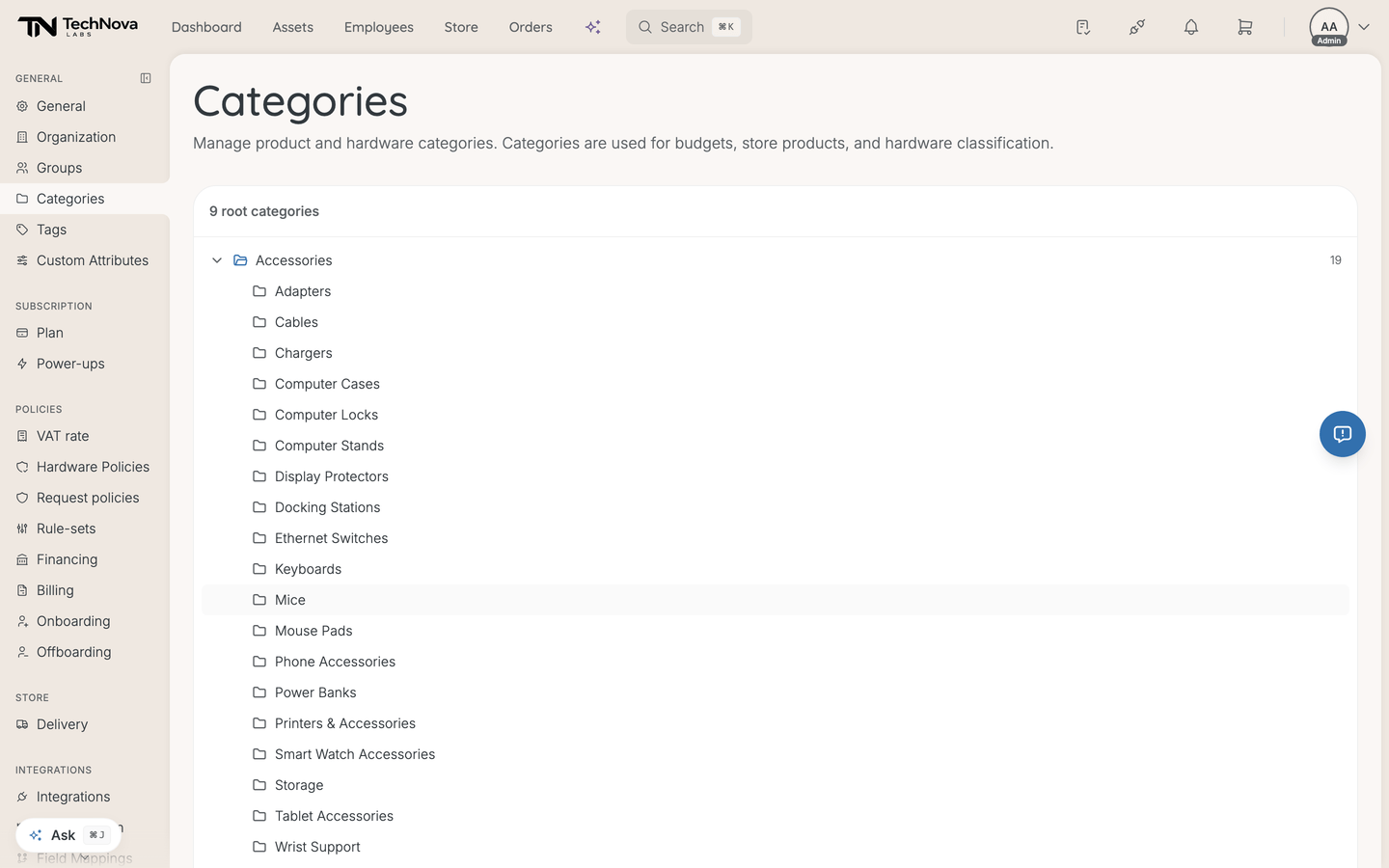
Reading the tree
This page shows your hierarchy; it does not edit it. Rows expand and collapse so you can see what sits under what, and that is the whole interaction — there is no add, rename or delete here. Categories arrive with your Velory setup and through your catalogue.
Talk to Velory if the shape is wrong for your company.
What attaches to a category
Why the shape matters even though you cannot change it here:
- Custom attributes attach to categories and inherit downward. See How do I define custom attributes?.
- Store products are organised by category.
- Hardware is classified by category, which is what makes your inventory filterable by kind.
Good to know
Can I add or rename a category?
Not from this page. It is a viewer. Ask Velory to change the hierarchy.
Is this the same as hardware policies?
No, and this is the easiest thing to conflate. Hardware policies are set per product type from a fixed list Velory ships — laptop, monitor, keyboard and so on. They do not read this tree.
Is this the same as the Shopify product taxonomy?
No. Retailer catalogues carry their own taxonomy for matching products across suppliers. The categories on this page are yours, and are what Velory classifies your own records against.
Budgets are mentioned in the page description but I have no budgets
The description lists budgets as a consumer of categories. Budgets are turned off in Velory today, so that part does not apply — categories still drive store products, hardware classification, attributes and policies.
Was this article helpful?