How do I make a group fill itself automatically?
A virtual group has no member list. It has criteria, and its members are whoever currently matches them. Change someone's department and their group membership follows without anyone touching the group.
This is what you want for anything that tracks a fact about an employee — "everyone in Engineering", "everyone in the Oslo office", "everyone who has left".
Before you begin
You need Admin access, and the group must be virtual. A static group has no criteria editor: you get "Criteria can only be configured for virtual groups". Kind is set when the group is created and is not a toggle afterwards — create a new virtual group instead.
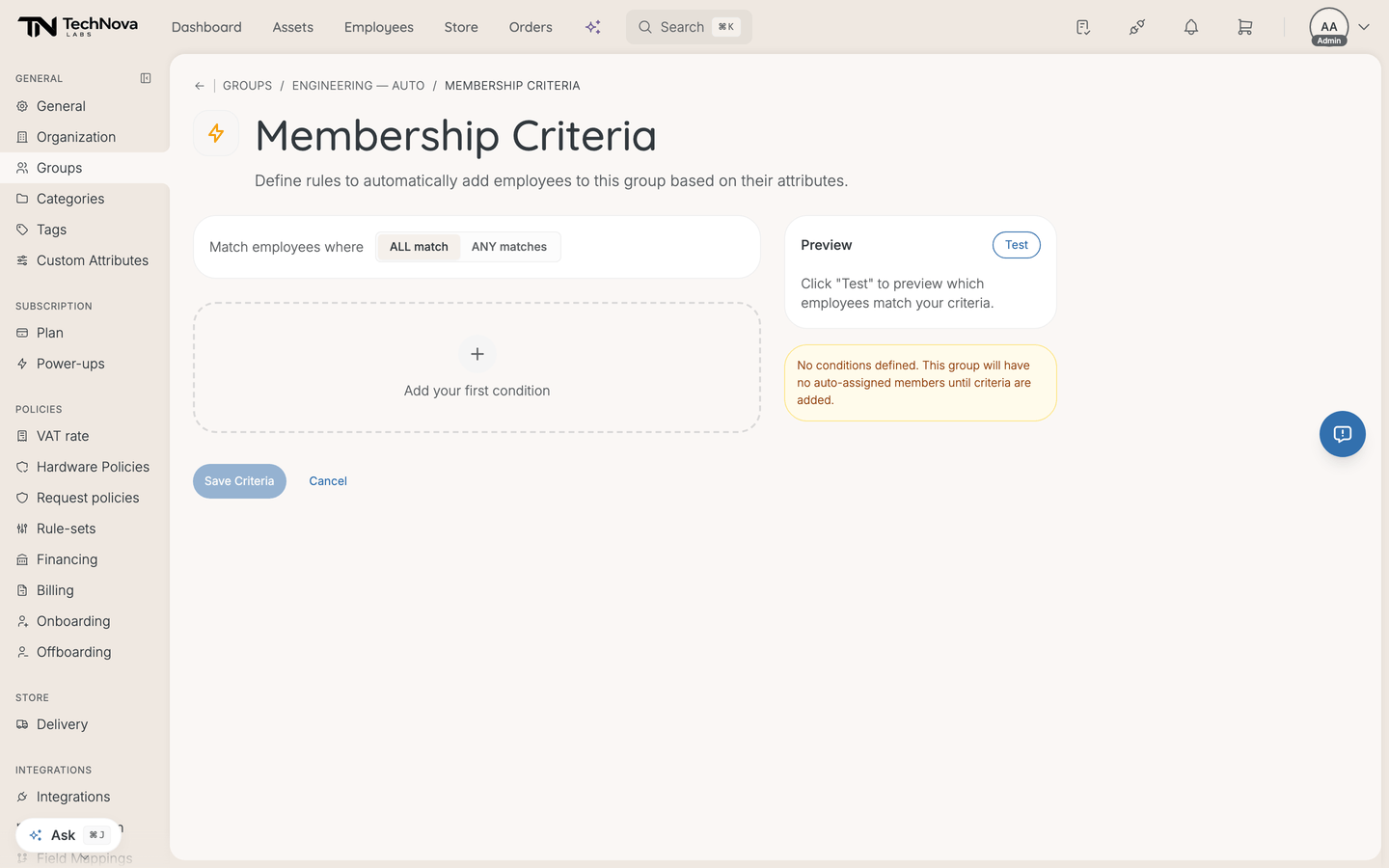
Define the criteria
- Open the group from Settings → General → Groups.
- Go to Membership Criteria.
- Choose whether ALL match or ANY matches.
- Add conditions, each a field, an operator and a value.
- Select Test to preview, then Save Criteria.
A virtual group with no conditions has no members. The editor warns you rather than failing.
What you can match on
Seven fields, all from the employee record:
Department · Job Title · Location · Status · Start Date · End Date · Manager
Operators, as the dropdown labels them: Equals, Does not equal, Contains, Starts with, Ends with, Greater than, Less than, Greater than or equal, Less than or equal, Is one of, Is not one of, Is empty, Is not empty.
Is one of and Is not one of take a list — separate the values with commas. That is usually what you want for several departments, rather than several conditions joined with ANY.
Test before saving
Test shows how many employees match and a sample of who they are. Use it every time. A condition on a free-text field like Job Title matches whatever people actually typed, which is rarely as tidy as expected — "Senior Engineer" does not equals "Engineer", though it does contains it.
Good to know
ALL or ANY?
ALL narrows: department is Engineering and location is Oslo. ANY widens: department is Engineering or department is Design. There is no nesting — you cannot mix the two in one group. For that, make two groups.
When does membership update?
Not on every page load. Membership is stored and recalculated when employee records change, so a change in someone's department reaches the group shortly afterwards rather than instantly.
Licences follow on the same footing: a background job runs every five minutes, comparing who matches now against who holds a licence. A virtual group has no join or leave event to react to, so reconciliation is how it stays honest. Expect a few minutes end to end, and treat that as normal rather than a fault.
The group is empty but I know people match
Check the field you matched on is actually filled in on those employees. Criteria read the employee record, and a field that HR never populated is empty in Velory too. is not empty on that field tells you how many records have it at all.
Can I match on a custom attribute?
No. The seven fields above are the whole list. A custom attribute cannot drive group membership.
What happens to licences when someone drops out of the group?
They are revoked, within about five minutes, unless another group they are still in also grants the same plan. That is the point of pairing virtual groups with plan auto-assignment — and the reason to Test before saving. A criteria change that drops thirty people revokes thirty sets of licences. See How do I auto-assign software to a group?.
Was this article helpful?